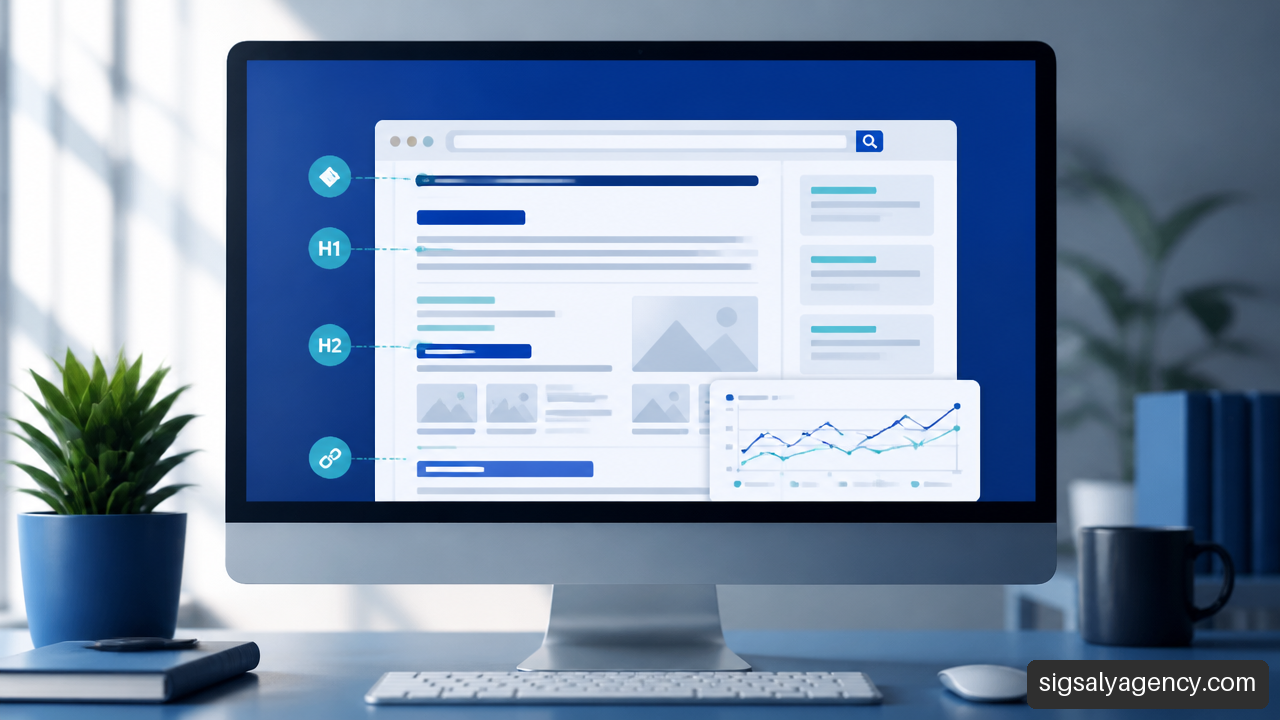
He on-page SEO It involves optimizing each URL so that it clearly addresses a user need and can be correctly interpreted by search engines. It's not about repeating keywords; it's about aligning intent, content, HTML structure, linking, accessibility, and performance.
Table of Contents
- What is On-Page SEO and Where Does It End?
- How to Optimize a Page Step by Step
- Key Takeaways
- Frequently Asked Questions About On-Page SEO
- Sources and References
What is On-Page SEO and Where Does It End?
On-page SEO, also called On-page SEOIt encompasses the improvements made within a page to increase its relevance, comprehensibility, and usefulness. This includes visible content, the title, headings, URL, meta tags, images, internal links, and certain elements that influence how a URL is crawled and displayed.
My criterion is simple: an improvement is on-page when it directly modifies the page or its immediate navigation context. If popularity is increased through links from other websites, digital public relations, or external mentions, we're talking about off-page SEO. If global server rules, crawl architecture, sitemaps, or JavaScript configuration are changed at the site level, it usually falls more under technical SEO.
This boundary isn't always clear-cut. The canonical tag, for example, is placed on a page, but its function affects the site's duplicate content management. That's why it's more useful to categorize tasks according to the problem they solve than to argue about a tag.
| Area | Main Objective | Examples | Warning Sign |
|---|---|---|---|
| On-page SEO | Improve the relevance and usefulness of a URL | Title, H1, content, internal links, images | The page does not answer the main query |
| Technical SEO | Facilitate crawling, rendering, and indexing | Robots, canonicals, performance, mobile version | Google cannot access or process the URL |
| Off-page SEO | Strengthen authority and external trust | Backlinks, mentions, digital relationships | The site is good, but it's competing against much stronger domains. |
On-page SEO is not keyword density
A primary keyword is still useful because it helps define the URL's focus. However, it shouldn't become a repetitive rule. A page focused on "billing software for freelancers" needs to explain features, pricing, requirements, security, alternatives, and frequently asked questions. Repeating the exact phrase twenty times doesn't provide that coverage.
The healthiest indicator is semantic: the content uses related terms because they are necessary to address the topic, not because it's trying to force connections. If the text feels artificially repetitive, the reader will likely notice it too.
An optimized page doesn't try to demonstrate that it knows a keyword. It tries to demonstrate that it understands the problem behind the search.
The guide to Useful content from Google Search Central It proposes creating pages designed for people, with useful, reliable information geared towards a real need. In on-page SEO, this principle should guide both the text and the structure.
Search Intent: The Page-Changing Decision
Before writing or editing, it's helpful to decide what the searcher wants to achieve. The same phrase can have different objectives. "Pet insurance" could be an informational inquiry, a comparison of options, or a direct intention to purchase insurance.
| Type of Intention | What the User Expects to Find | Recommended Onpage Format |
|---|---|---|
| Informational | Explanation, steps, criteria or definitions | Guide, tutorial, educational comparison |
| Commercial | Alternatives, advantages, prices, or tests | Comparison, service page, product selection |
| Transactional | Purchase, reservation, request or contact | Product page, service landing page, clear conversion process |
| Local | Proximity, hours, coverage and contact | Local page with service, area, business details, and visible actions |
A lengthy guide is rarely the best answer for someone looking to buy something immediately. Similarly, a short product description rarely satisfies someone who wants to learn how to solve a complex problem. I would avoid copying a page template just because it works for another keyword: intent dictates the format, not aesthetics.
Indexability: The Prerequisite for Any Improvement
An excellent title isn't very useful if the URL has a directive. noindexIt is incorrectly locked or relies on resources that cannot be rendered. Before investing time in text, verify that the page returns a correct state, is crawlable, displays essential content, and is indexable.
It's also a good idea to check the mobile version. Google uses mobile-first indexing, so hidden content, inaccessible buttons, broken tables, or slow elements on small screens can negatively impact the user experience and understanding of the page.
Every editorial review doesn't need to be a full-blown technical audit. What is necessary, however, is to check the essentials: accessible URL, allowed indexing, consistent canonical tag, visible content, and a mobile-friendly template.
How to Optimize a Page Step by Step
On-page optimization works best as a series of interconnected decisions. First, you identify the intent; then you build the response; finally, you remove friction points that prevent crawling, understanding, or using the URL. Starting by changing a meta description without reviewing the content usually only produces superficial improvements.
Define a main keyword and a theme map
Every URL should have a primary purpose. You can work with variations, synonyms, and related questions, but it needs a clear core. If a page tries to rank for "web design," "cheap hosting," "Google Ads campaigns," and "corporate branding" all at once, it will struggle to adequately address any of those needs.
A practical method involves gathering relevant queries and classifying them into three groups:
• Main query: expresses the theme and central intention of the page.
• Close variants: They change the order, the number, or a word, but they maintain the same need.
• Necessary subtopics: They answer questions that a reasonable user would have before taking the next step.
For example, a URL about WordPress maintenance can cover updates, backups, security, performance, and support. You don't need to repeat "WordPress maintenance" in every paragraph. You need to cover each component clearly. To delve deeper into choosing a platform and content management system, it can be helpful to understand... WordPress as a CMS.
Write Titles, Goals, and Headings to Be Understood
The title should summarize the benefit and topic of the page. It's best to place the main idea at the beginning, but without sacrificing readability. A bad title tries to include every possible variation; a good one helps the reader decide if the result is worth clicking on.
I don't recommend working with a rigid character limit. Google explains that title links can be generated from various on-page sources, including the `` element. title and other texts on the page. That's why the Documentation on Google titles and snippets It makes clear that there is no fixed rule of characters that guarantees the displayed result.
Instead of pursuing an exact limit, I would review these conditions:
- The value proposition appears early.
- The text is understandable even if it is visually truncated.
- There are no repeated blocks of keywords or unnecessary brand names.
- The title matches the H1 and the actual promise of the content.
The meta description isn't a direct ranking lever. Its main function is to provide an engaging summary for the snippet. Google may use it or rewrite it depending on the query, so it should function as a natural summary, not a comma-separated list of terms.
The hierarchy of headings also matters. A single H1 usually presents the main idea. H2s organize response blocks, and H3s develop specific details. The structure should read like the index of a useful document. If an H2 contains only two lines and the next one repeats almost the same thing, perhaps they should be merged.
Create Content That Completes the Task
Depth doesn't mean writing more. It depends on eliminating the doubts that prevent the reader from making a decision. A service page, for example, might need to explain what's included, what's not included, who it's for, how to get started, and what results can reasonably be expected. A guide might require steps, examples, and warnings.
I would prioritize these elements within the body of the page:
• A direct answer in the first few paragraphs.
• Explanations that elaborate on the why, not just instructions.
• Concrete examples that connect the advice to a real situation.
• Signs of limits or exceptions when the recommendation is not universal.
• Calls to action consistent with the search intent.
A product page perfectly illustrates this point. Copying the manufacturer's description onto a hundred products creates similar and undifferentiated pages. It's preferable to add useful specifications, compatibility information, dimensions, delivery terms, frequently asked questions, and usage context. Not every product page needs a thousand words, but it should contain information that justifies its individual existence.
Use Internal Links, Images, and Structured Data Judiciously
Internal links help users continue their journey and provide context about the landing page. The anchor text should describe what the user will find. “See more” is less precise than “WordPress speed guide” when the destination deals with exactly that topic.
It's also advisable to create logical pathways. A general guide can link to a service, and that service can link to a page that explains the process or answers a previous question. In WordPress-based projects, the relationship between design, content, and performance should be considered from the outset. Web development and design with WordPressnot as a belated correction.
Images add value if they clarify an idea, showcase a product, or facilitate a decision. To optimize them:
• Use descriptive file names when reasonable.
• Compress the resource without degrading its visual usefulness.
• Adjust dimensions and formats to avoid unnecessary downloads.
• Write an alternative text that describes the function or content of the image.
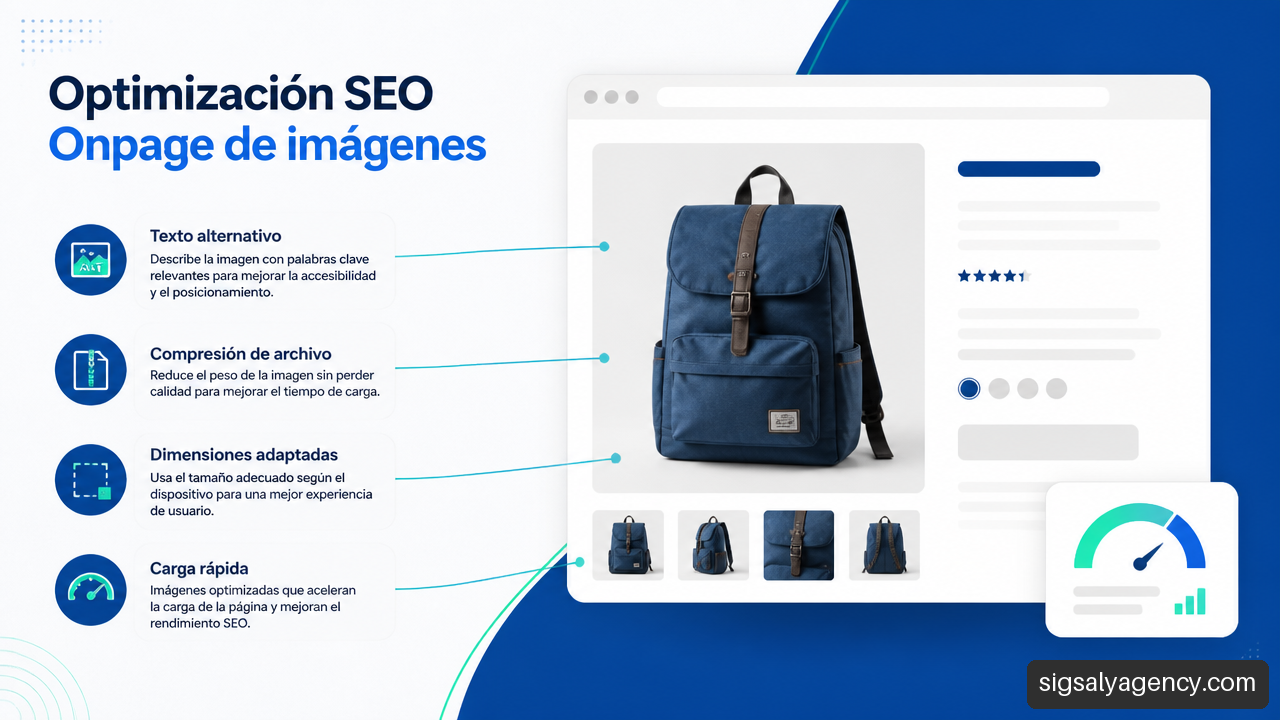
The alt text should not be a collection of keywords. If an image is decorative, it probably doesn't need a lengthy description. If it displays a performance chart, your alt text should communicate the relevant data the chart conveys.
Structured markup is also frequently overused. Its usefulness lies in expressing data that actually exists on the page, such as a product, a navigation path, or a frequently asked question. Google's introduction to structured markup This indicates that it helps in understanding the content, but it doesn't guarantee enhanced results or improved rankings. Adding a nonexistent or misleading schema is a bad practice.
Avoid Cannibalization, Facets, and Low-Impact Improvements
Cannibalization occurs when two or more URLs compete for the same user intent. This can happen between a category and an article, two similar services, or older and newer versions of the same guide. The usual sign is that Google alternates URLs for similar queries, neither achieves consistent visibility, or both have highly overlapping content.
The solution depends on the actual difference between pages:
| Situation | Most Reasonable Action | When to Avoid It |
|---|---|---|
| Two pages respond to the same intention | Merge content and redirect the secondary URL | Each one addresses a clearly different need. |
| A page is similar, but it must exist | Define different approach, internal links and canonical where appropriate | If only the title is changed without differentiating the content |
| E-commerce filters generate many URLs | Control indexing, canonicals, and facet linking | If the filter has sufficient demand and unique content |
| Strong page, but stagnant compared to competitors | Review authority, supply, and external signals | If there are still errors in intent, content, or indexing |
In online stores, product facets are especially delicate. A filter by color or size can be useful for navigation, but it doesn't always warrant an indexable URL. If thousands of combinations without their own content or demand are indexed, crawl budget is wasted and similar pages multiply. In contrast, a specific category with clear search terms can justify its own landing page, unique text, and relevant internal links.
Finally, not every drop in performance can be fixed with on-page optimization. If a page responds well to user intent, has solid content, is indexed, and offers an acceptable user experience, the limiting factor might be comparative authority or a less competitive offer. Changing the H1 tag every week won't bridge that gap. The page needs diagnosis, not just one action at a time.
Performance remains part of the quality context. Google's guide to page experience Core Web Vitals are part of a broader evaluation: they are relevant, but they don't replace the usefulness and relevance of the content. A fast site with poor responsiveness will still be a poor response.
On-page work doesn't end with publishing. Reviewing templates, broken links, product changes, outdated data, and indexing issues are all part of a sustainable strategy. That's why, Website maintenance: the invisible investment It can be crucial to preserving improvements that would be lost with careless updates or technical errors.
Key Takeaways
• On-page SEO improves a URL's ability to respond to a specific intent and be understood by search engines and users.
• The main keyword guides the page, but forced repetition reduces clarity and can worsen the reading experience.
• Titles, H1, meta descriptions and headings must be consistent with each other and with the visible content.
• Before editing texts, check crawling, indexability, canonical, rendering, and mobile version.
• Internal links should describe the destination and form useful paths between related content.
• Cannibalization is resolved by differentiating, consolidating, or redirecting URLs according to their true intent.
• In e-commerce, facets and filters must be managed carefully to avoid multiplying duplicate or low-value pages.
• Core Web Vitals and speed help, but they don't compensate for a page that doesn't satisfy the query.
Frequently Asked Questions About On-Page SEO
What is On-Page SEO?
It is the optimization performed within a page to improve its relevance, comprehensibility, accessibility, and usability. This includes content, keywords, title, meta tags, heading structure, URLs, internal links, images, and elements related to indexing.
What is the difference between on-page SEO and off-page SEO?
On-page SEO modifies the page and its internal context. Off-page SEO seeks to strengthen authority and trust from outside the site, primarily through links, mentions, and promotional activities. Both can influence visibility, but they address different problems.
How do I choose the main keyword for a URL?
Choose the query that best represents the core intent and that you can answer on a single page. Then incorporate related variations and relevant subtopics. If two keywords require different formats or decisions, they likely need different URLs.
How do I optimize the title so it doesn't get cut off on Google?
Write a clear, specific, and useful title from the very first words. Don't rely on a fixed number of characters, because visible space can vary and Google can generate a title link based on various on-page signals. Prioritize the overall meaning over an exact length.
Does the Meta Description Improve Ranking?
It's not advisable to treat it as a direct ranking factor. It can influence the attractiveness of the result and the click-through rate, but Google may display a different snippet of text if it believes it better answers the query. Write an honest, concise description that aligns with the content.
What do I do if two URLs are competing for the same keyword?
Compare intent, content, traffic, links, and conversions. If both stem from the same objective, it's usually best to consolidate them and redirect one. If they have different objectives, clearly differentiate the approach, headings, content, and internal linking.
How do I apply on-page SEO to an e-commerce category?
Define the purchase intent, create a helpful introduction, structure products and filters clearly, avoid duplicate text, and control which filter combinations should be indexed. A category should facilitate the purchase, not force the user to read a guide before viewing products.
Which part of on-page SEO has the most impact?
Correcting a significant mismatch in intent, an unindexable page, insufficient content, or URL cannibalization is usually more impactful. Adjusting minor details can help, but rarely surpasses the effect of resolving a structural problem.
Sources and References
- Google Search Central — Google Search Essentials. https://developers.google.com/search/docs/fundamentals/creating-helpful-content
- Google Search Central — Google titles and snippets in Search results. https://developers.google.com/search/docs/appearance/title-link
- Google Search Central — Understand the page experience in Google Search. https://developers.google.com/search/docs/appearance/page-experience
- Google Search Central — Learn about structured data. https://developers.google.com/search/docs/appearance/structured-data/intro-structured-data