**A potential customer lands on your website, waits a few seconds... and leaves. No contact form, no purchase, no call. For many businesses, this silent exit happens every day simply because their site looks outdated, loads slowly, or isn't mobile-friendly.**
**With WordPress, you can turn your website into a clear and persuasive sales tool, as long as strategy, design, development, and SEO work together. Here you will learn how to plan a site around business objectives, shape a professional visual identity, structure pages that convert, estimate realistic design and development costs, and understand the ongoing work required to keep everything secure, fast, and profitable.**
In today’s digital economy, your WordPress site isn’t just a brochure: it’s the main engine of your business, and treating it as something lesser is silently costing you customers, credibility, and growth.
1. Understanding WordPress for modern web development and design
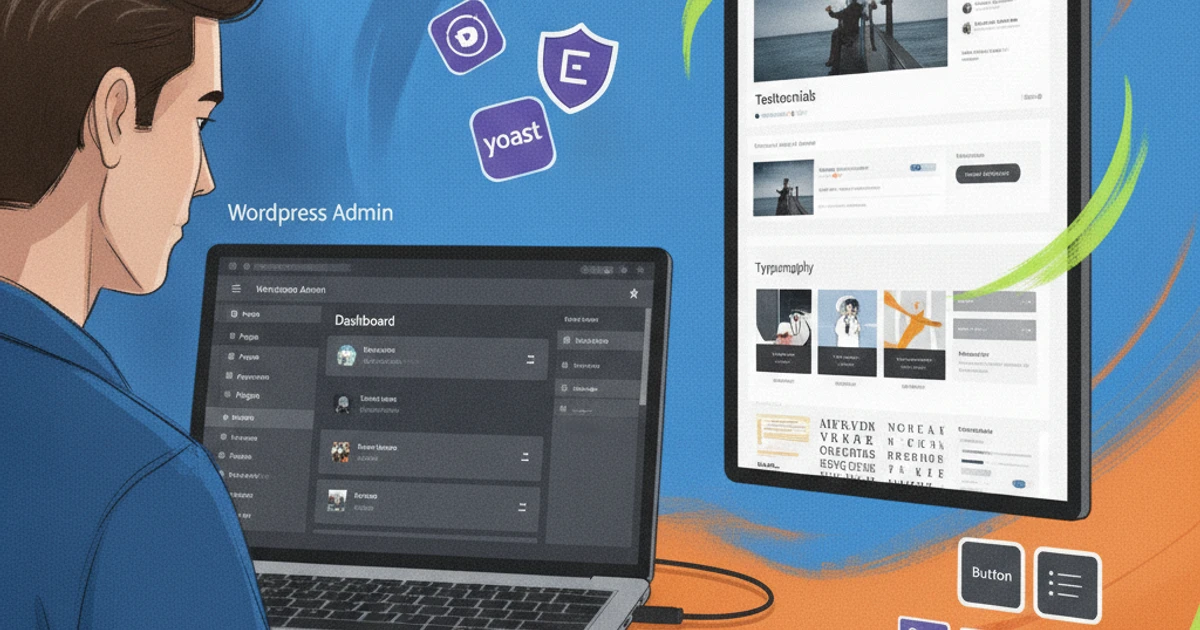
What makes WordPress ideal for web development and design WordPress powers over 40% of all websites, which translates to a large community, thousands of plugins, and constant updates. This ecosystem gives small agencies and freelancers access to tools that were once reserved for large development teams. From multilingual corporate sites to content hubs, WordPress adapts to industries like real estate, healthcare, and education without requiring a complete overhaul each time. The admin panel allows non-technical teams to publish pages, update images, and manage menus without touching the code, while designers can combine custom themes with plugins like Gravity Forms or WPML to deliver advanced experiences.
Difference between WordPress.com and WordPress.org for businesses WordPress.com is a hosted service, similar to Wix or Squarespace, where you manage hosting, security, and updates. This reduces the technical burden but limits plugin options, server configuration, and the advanced customizations that growing businesses often need. WordPress.org is self-hosted software that you install with providers like SiteGround or Kinsta, giving you complete control over performance, code, and integrations. For most small and medium-sized businesses and professional projects, WordPress.org is more cost-effective in the long run and offers better data ownership and scalability for marketing, e-commerce, and custom features.
How WordPress supports creative web design and scalability Modern themes and visual builders like Elementor, Divi, and the native Site Editor allow designers to create custom designs without complex programming. Agencies often prototype landing pages They quickly develop websites, then refine the typography, grids, and animations to match brand guidelines for clients such as restaurants, law firms, or SaaS startups. Their modular structure means you can start with a simple business card-style website and then add WooCommerce for e-commerce, MemberPress for memberships, or LearnDash for online courses. With good hosting, caching, and a CDN, WordPress sites can handle traffic spikes for campaigns, product launches, and seasonal promotions.
Common myths about WordPress (security, performance, "only for blogs") WordPress is often labeled as insecure, but most vulnerabilities stem from weak passwords, outdated plugins, or poor hosting. Using managed WordPress hosting, enabling automatic updates, and incorporating tools like Wordfence or Sucuri significantly reduce risk in real-world deployments. Claims that WordPress is slow ignore optimization best practices. With image compression, caching plugins like WP Rocket, and quality hosting, WordPress sites can load in under two seconds. It's also much more than a blogging tool; brands like The Walt Disney Company and MTV use WordPress for robust corporate websites, content platforms, and complex digital experiences.
2. Defining your website strategy before starting the design
Clarifying business objectives, audiences, and key user journeys A solid web strategy begins with knowing exactly what the site should achieve. Decide if the main objective is to generate leads (leads), close online sales, secure bookings, or strengthen brand positioning. A B2B SaaS company like HubSpot looks for demo requests and trial sign-ups, while a local clinic might be more concerned with appointment bookings. Define your key audience segments in as much detail as possible: roles, pain points, budget, and decision-making process. Then, map user journeys from first visit to conversion. For example, a visitor might arrive at a blog post from Google, read a case study, join your email list, and finally request a quote. Prioritize two or three metrics that your website should directly drive, such as conversion rate, average order value, or calls booked per month.
Choosing the right type of site Your business model should dictate the type of site you build. A corporate site is suitable for a consulting firm like McKinsey, while Shopify or WooCommerce is better for product-based e-commerce. Photographers and designers often rely on portfolio sites built with Squarespace or Webflow, while education brands use membership platforms like Kajabi for exclusive content. Think about scalability and resources. A small service business might start with a simple corporate site plus a blog, and then expand to a membership area once they reach, say, 5,000 email subscribers. Keep in mind that e-commerce and membership sites generally require larger budgets, custom integrations, and more testing time than a simple brochure-style website.
Planning the site's structure and navigation for better web design Before touching on visual design, sketch out your content tree: Home, Services, About, Blog, Resources, and Contact are common pillars. Divide services into clear subpages, such as "SEO Services," "PPC Management," and "Content Strategy," rather than having one long, generic page. This reflects how agencies like Neil Patel Digital structure their sites. Design navigation around how users think, not according to internal organizational charts. Use clear menu labels, breadcrumbs (breadcrumbsThis allows you to display location and internal links to guide visitors to high-value pages. From an SEO perspective, group related content into thematic silos (for example, all email marketing content under one hub) so Google can better understand your experience and show your priority pages more frequently.
Creating a basic content plan to guide design and development A content plan keeps design and development focused on real words and visuals instead of placeholder text. Start by auditing what you already have: blog posts, PDFs, videos, and case studies. Identify what you're missing, such as landing pages specific to your sector or testimonials for key offers. Companies like Ahrefs openly share how they first plan pillar articles and then build supporting content around them. Define the core messages and value propositions for each main section, then list the necessary resources: main texts (hero copy), benefit bullet points, explainer videos, downloadable guides, or comparison charts. Align a realistic creation schedule with your development timeline so designers know when final text and images will be delivered, preventing delays right before launch.
3. Creative web design: Transforming brand strategy into a WordPress site

Support your positioning with alt text (alt textDescriptive images and strategic internal links are key. A law firm's blog post about "estate planning in Texas" can link to its "Wills and Trusts" services page, strengthening both. More in-depth content that matches search intent—like a 1,500-word guide that answers specific questions—tends to get more impressions and clicks than superficial 300-word articles.
Structuring content and headings to target the main keywords How you structure your content matters as much as what you say. Clear headings help Google understand your topic and make your pages easier for visitors to scan and use. Use a single H1 aligned with your main keyword, such as “Shopify SEO Services for Small Retailers,” and then break up sections with H2 and H3 tags that naturally include related terms. Avoid keyword stuffing (keyword stuffingInstead, interweave variations in headings and subheadings where they are logical and useful.
To earn featured snippets (featured snippets), formats concise answers into lists or short paragraphs. For example, HubSpot often captures snippets of "how to write a marketing plan" using bulleted lists and H3 headings in a frequently asked questions (FAQ) style that provide straightforward 40- to 60-word answers to common questions.
Designing pages for conversion Positioning is only half the battle; your design must guide visitors toward specific actions. Clear and visually distinctive calls to action (CTAs) must appear. above the fold (in the first screenshot, before doing scrolland after the key sections, with text like "Schedule a 15-minute demo" or "Get pricing." Short, frictionless forms tend to convert better. When Expedia removed an unnecessary form field, it reported saving $12 million a year in lost bookings. It offers lead magnets (lead magnets) such as a downloadable PDF of "B2B SaaS Metrics 2025" or a 14-day free trial to capture the emails of visitors who are not yet ready to buy.
Trust signals also increase conversions. Add logos of well-known clients, concise testimonials, and security/SSL seals near your CTAs. For example, displaying G2 or Capterra badges near a button to request a demo can reassure B2B buyers who are comparing providers.
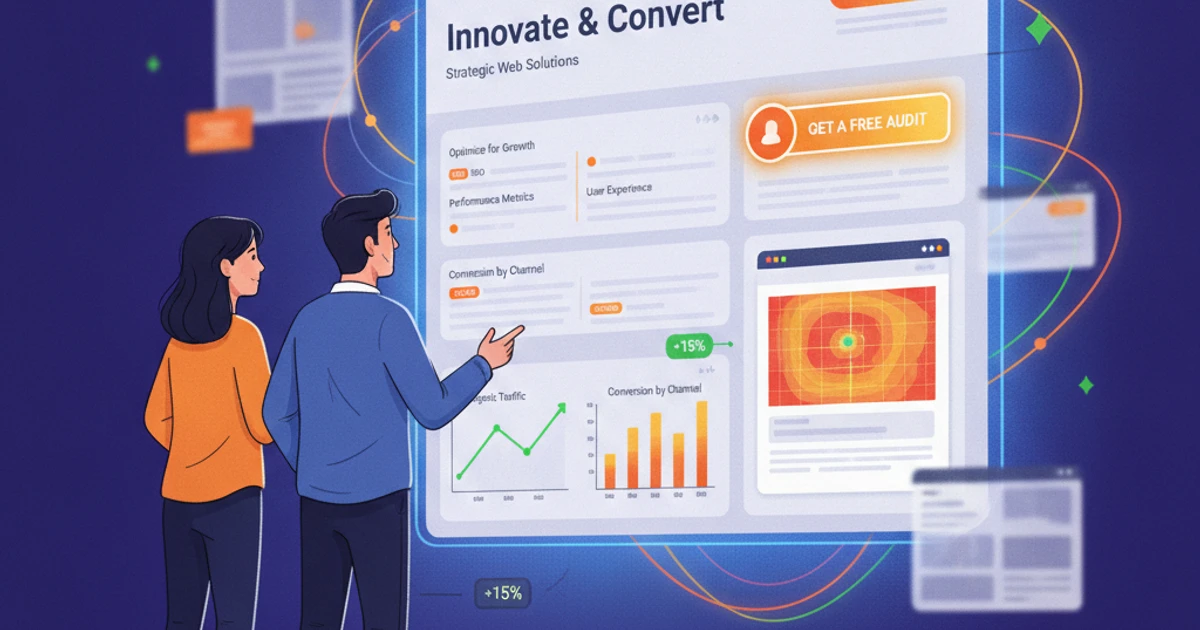
Tracking performance with analytics and heat maps Without data, everything is guesswork. Set up Google Analytics 4 (or Plausible/Matomo if you prefer privacy-focused tools) to track organic traffic, landing pages Key actions and events such as form submissions and completed purchases. Use behavioral tools like Hotjar or Microsoft Clarity to generate heatmaps and session recordings. These reveal where users click, where they hesitate, and how far they scroll.scrollIf 70% of users never reach your main CTA, you know a design change is needed.
Iterate based on evidence: run A/B tests with headlines, button colors, or form length using tools like Optimizely. Even modest improvements—like increasing the conversion rate of a landing page From 3% to 4.5%— can translate into thousands of additional USD in monthly revenue for service companies.
6. Website Maintenance: Keeping your WordPress site secure and up-to-date
What does "website maintenance" really include? Website maintenance goes far beyond clicking "Update" in your WordPress dashboard. A solid plan covers updates, content tweaks, performance checks, and daily support to keep your site generating leads and revenue without surprises. For example, agencies managing WordPress sites for restaurants on Toast or retailers on WooCommerce often schedule core updates (core), themes and plugins weekly; then they review key pages such as the homepage and pricing page to keep offers and SEO keywords aligned.
Routine maintenance tasks Routine maintenance is what prevents costly emergencies. Set up automatic backups with tools like UpdraftPlus or BlogVault and test restores at least quarterly to ensure you can recover if a plugin breaks your site. It's also worth scanning for broken links with Screaming Frog or Ahrefs, cleaning your database with WP-Optimize, and removing unused themes or media files. Agencies often see load times drop from 5 seconds to under 2.5 seconds simply by removing bloated plugins and optimizing the database.
Protecting your site from hacks and crashes Security is non-negotiable once your site handles leads or payments. Require strong passwords, enable two-factor authentication on admin accounts, and limit login attempts with tools like Wordfence or iThemes Security. Combine this with an SSL certificate (Let's Encrypt through your hosting provider), uptime monitoring with UptimeRobot, and a clear incident plan: who contacts the hosting provider, who restores the backup, and how you notify customers if forms or the checkout process are affected.
When to handle maintenance internally vs. outsource web services Whether you handle maintenance in-house depends on your time, skills, and risk tolerance. A small marketing team could manage basic updates and backups, but anything involving custom code or security audits can quickly exceed internal capacity. Many small businesses opt for external WordPress maintenance plans from agencies or platforms like WP Buffs or GoWP, paying between $100 and $300 USD per month for updates, monitoring, and support. That often costs less than a single day of lost sales if an unpatched vulnerability takes the site offline.
7. Pricing Guide: How to Evaluate Web Design Prices and Service Packages
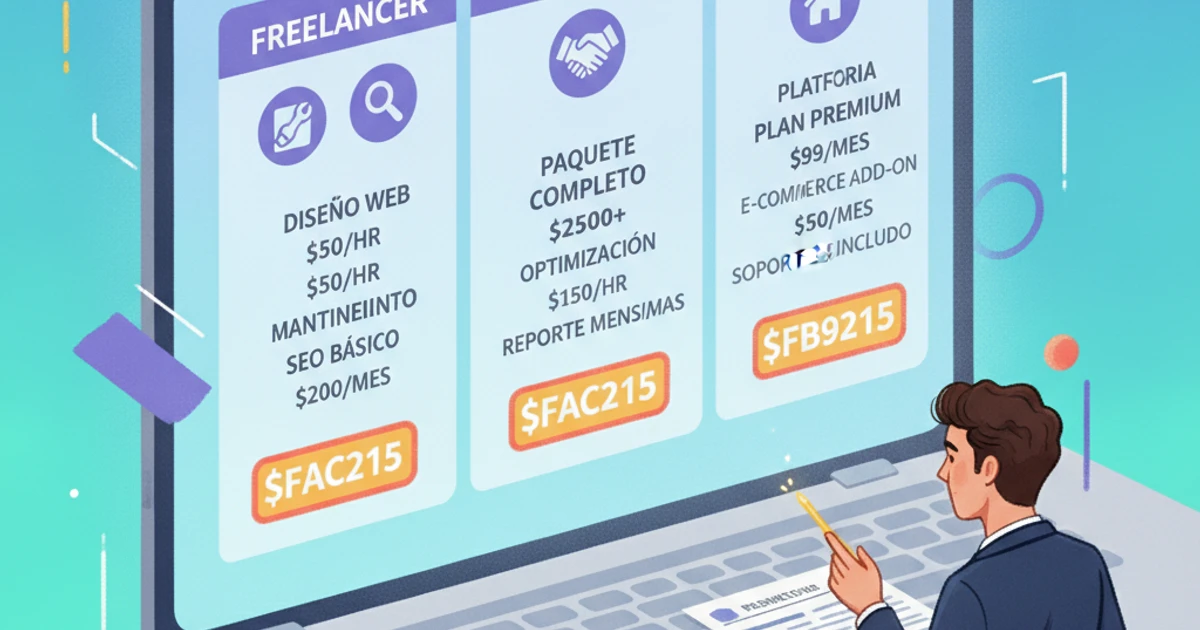
Main factors that influence web design prices The price of a website depends largely on its scope and functionality. A five-page brochure-style website for a local yoga studio in Austin might start at around $1,500, while a 40-page site with a booking system, multilingual content, and a blog for a law firm can easily exceed $8,000.
As you add e-commerce (Shopify, WooCommerce), memberships (MemberPress), or custom integrations with tools like HubSpot or Salesforce, costs increase because planning, development, and testing become more complex. Tight deadlines, such as launching a site for a conference in three weeks, typically add rush fees of 20% to 40%.
Comparing freelancers, agencies, and website builders Freelancers on platforms like Upwork often charge between $30 and $100 per hour and work well for small projects or MVPs (Minimum Viable Products). A freelance designer can create a Squarespace site for a local restaurant for around $1,200 with basic SEO. Agencies typically start in the $5,000 to $10,000 range for strategy-driven development, including UX, copywriting (copyand development under one roof. Website builders (website builders) like Wix and Webflow reduce the initial cost, but you sacrifice deep customization and long-term scalability.
Understanding typical pricing models Fixed-price projects work best when your site map (sitemapFeatures and content are clearly defined. For example, a $6,000 flat-rate redesign for a 15-page B2B SaaS marketing site and blog migration. Hourly rates (often $60 to $150/hour in the US) are suited to open consulting, while monthly retainers (retainersThese services are common for CRO (Conversion Rate Optimization), SEO, and ongoing maintenance. A small e-commerce brand might pay $1,000 USD per month to keep Shopify, Klaviyo, and their related services optimized. landing pages.
What should a professional web services proposal include? A serious proposal clearly lists the deliverables: number of templates, content migration, style guide, mobile optimization, and analytics setup (e.g., GA4, Google Tag Manager). It should show the phases: discovery, wireframesDesign, development, quality assurance (QA), and launch. Expect a timeline with milestones, a payment schedule (such as 40/40/20), and terms for revisions. Professional vendors also define post-launch support, such as 30 days for bug fixes (bug fixes) and optional maintenance plans, so you know exactly what you're paying for and what will happen after you go live.
8. Choosing the right web development partner for your business
Key questions to ask before hiring a WordPress designer/developer Before signing a contract, investigate the developer's actual WordPress track record. Ask which themes, builders, or frameworks They specialize in (for example, Gutenberg, Elementor, or GeneratePress) and have created sites similar to yours, such as membership portals, WooCommerce stores, or booking platforms. Clarify their workflow, from strategy to launch. A solid partner will describe the discovery, the wireframes UX, design, development, content migration, QA, and training. Ask who your daily contact will be, how communication works in tools like Slack, Trello, or Asana, and confirm what support they provide after launch (updates, backups, security monitoring, and response times).
How to evaluate portfolios and case studies When reviewing portfolios, look for variety in sectors and project sizes: a good sign is seeing work for a SaaS company, a local retailer, and a B2B consultancy, not just one niche. Open live sites and test page speed with tools like GTmetrix or PageSpeed Insights, and check the clarity of navigation on mobile devices. Case studies should show business results, not just pretty pictures. For example, an agency could show how optimizing the checkout process (checkout) of a WooCommerce store increased conversion by 18% or how restructuring a blog boosted organic traffic by 40% in six months, backed by screenshots from Google Analytics and customer testimonials on LinkedIn.
Setting expectations: deadlines, reviews, and communication A reliable web partner will propose a phased timeline: discovery and strategy, design, development, content integration, testing, and launch. For a 10- to 15-page marketing site, six to ten weeks is typical, assuming the content is ready. Ensure review rounds are clearly defined for each phase so the design doesn't drag on indefinitely. Agree on communication channels (email, project management tool, scheduled Zoom calls) and frequency, such as a weekly status update. All expectations regarding deadlines, scope, review limits, payment milestones, and deliverables should be documented in a written contract or statement of work (SOW) that both parties carefully review before starting.
Warning signs (red flags) to avoid when selecting web service providers Be wary of providers who refuse to offer a clear contract, don't specify the scope, or only send a one-line quote like "Complete Website - $500." Unrealistic promises like "#1 Google Rank in 7 Days" or "Guaranteed 10x Sales" are a strong red flag, especially regarding SEO and performance. Extremely low prices without a breakdown often mean shortcuts will be taken, such as using pirated themes.nulled themes) or ignore safety best practices. A lack of transparency about who actually does the work (no team page, vague answers about contractors) or a refusal to share live examples and references should encourage you to keep looking for a more reliable partner.
9. Scaling and improving your WordPress site over time
When and why to redesign or expand website design A WordPress site that worked well two years ago can quietly become a bottleneck as your brand grows. Signs like high bounce rates, low time on page, or an outdated visual style compared to competitors often mean your website design no longer reflects who you are. If users are struggling to fill out forms, your Core Web Vitals are in the red, or conversions drop after a theme change, it's time to rethink your design and UX. Shopify, for example, saw conversion increases across all its merchants after simplifying checkout flows and improving page speed; the same principles apply to your WordPress sales funnel.
Adding new features As your business model evolves, your website should evolve with it. A service-based brand might add WooCommerce to sell digital downloads or consulting packages integrated with Stripe, mirroring how HubSpot added templates and plugins to its core platform. Local studios often incorporate tools like Amelia for bookings or LearnDash for courses once manual scheduling becomes unmanageable. If you're targeting the US and Latin American markets, plugins like WPML or Polylang allow you to have a fully bilingual site without needing to create a second installation.
A/B testing and continuous improvement for better conversions Conversion gains rarely come from a single redesign; they come from hundreds of small tests. Start with clear hypotheses like "shortening the contact form from 7 to 3 fields will increase leads by 15%." Tools like Google Optimize (until its closure) and now platforms like VWO or Optimizely make A/B testing manageable in WordPress. For example, Basecamp reported improvements after simplifying headlines and decluttering its pages. You can mimic this by testing your main headlines (hero headlines), the button text such as "Get Prices" vs. "Request a Quote", and the designs in the landing pages key, to then permanently implement the winning versions.
Aligning your long-term content strategy with your web design Your design should make it easy to publish, organize, and promote revenue-generating content. If your strategy includes weekly SEO articles plus quarterly case studies, create templates and category structures that prominently feature these resources. B2B companies like Ahrefs and Moz design their blogs and resource libraries so that guides, success stories, and other content are easily accessible. lead magnets Ensure they are interconnected and easy to navigate. Review your WordPress layouts at least twice a year to make sure new content types (such as webinars, reports, or comparison pages) have dedicated sections, CTAs, and internal links that support your long-term growth goals.
Conclusion: Turning your WordPress website into a business asset
Summary of the core pillars for a successful WordPress site A WordPress site becomes a true business asset when strategy, design, technology, and maintenance work together seamlessly. Before opening Elementor or a theme, define your target audience, the problems you solve, and the actions you want visitors to take. Brands like HubSpot structure every key page around clear offers and CTAs, not just pretty designs. This combination of clear funnels and focused messaging is what converts traffic into leads and sales.
Why ongoing website maintenance is critical to ROI Without regular updates, backups, and security controls, even a well-built site can fail. A single malware injection or plugin conflict can cause hours of downtime and lost revenue, as many small Shopify and WooCommerce stores experienced during massive bot attacks reported by Sucuri and Wordfence. Consistent maintenance allows you to iterate on SEO, speed, and conversion. For example, Google case studies have shown that improving Core Web Vitals on a WordPress blog increases organic traffic and engagement (commitment), which directly impacts revenue.
Using pricing knowledge to invest smarter in web services Understanding what you're paying for helps you avoid "cheap" offers that end up costing more in the long run. Compare proposals based on their scope: UX strategy, custom development, performance optimization, and ongoing support—not just visual design. Agencies like WebDevStudios clearly separate strategy, development, and maintenance in their quotes; using that structure as a benchmark allows you to spot missing pieces in other proposals and choose partners who add strategic value, not just technical work.
Recommended next steps to plan or improve your WordPress site Start with a quick audit: load time (use PageSpeed Insights), security (Wordfence scan), and conversion paths (Google Analytics and Hotjar). If you're starting from scratch, document your goals, budget, must-have features, and timeline in a project brief.brief) of one page. Then, request at least three professional proposals, compare them using a simple deliverables table and define a roadmap: design and construction phase, preliminary launch (soft launchand monthly maintenance. Treat your WordPress site like any other business asset with a clear plan, accountability, and KPIs.
Frequently Asked Questions about Web Development and Design with WordPress
How long does it usually take to design and develop a website in WordPress? WordPress timelines vary depending on scope, content, and decision-making speed. A simple, brochure-style site of 5 to 7 pages, built on a premium theme like Astra or GeneratePress, can often be delivered in 2 to 4 weeks if the text and images are ready. Custom designs or sites with membership areas and complex forms, similar in depth to a small HubSpot resource center, generally require 6 to 10 weeks. Full-fledged e-commerce projects with WooCommerce, custom checkout processes, and ERP integrations can extend to 3 or 4 months, especially when multiple approval rounds are involved.
Why choose WordPress over other website builders for my business? WordPress gives you more control than hosted builders like Wix or Squarespace because you own your files and database, and you can switch hosting providers (like SiteGround, Kinsta, or WP Engine) without having to rebuild from scratch. Its huge ecosystem of plugins (Yoast SEO, WooCommerce, Gravity Forms, LearnDash) means you can start with a lightweight site and scale features as you grow, instead of being tied to a single provider's roadmap and pricing model.
How often should I schedule website maintenance and updates? At a minimum, schedule monthly technical reviews for plugin updates, database optimization, and broken link scans using tools like Screaming Frog or Ahrefs. Security and plugin updates should be applied as soon as they are confirmed to be stable, ideally first in a test environment.stagingAutomatic backups via UpdraftPlus or Jetpack should be run daily for e-commerce or news sites, and weekly for smaller blogs. Reviewing key pages (home, services, and top blog posts) quarterly keeps offers and CTAs aligned with your current business goals.
When is the right time to redesign my existing website instead of just updating the content? A redesign is necessary when your design or technology is holding you back. If your site isn't mobile-friendly or still uses an outdated page builder, you'll struggle to keep up with competitors who are using [the latest technology/platforms]. stacks Modern themes using Gutenberg or Elementor Pro are common. Warning signs include poor navigation, declining conversion rates in Google Analytics, and difficulty adding new features (such as booking systems or calculators) without modifying the theme's code. In these cases, a planned redesign is usually cheaper than constant temporary fixes.
How can I estimate a realistic budget and fairly compare web design prices? Start by making a list of the features you need: number of templates, multilingual support, e-commerce, content migration, SEO setup, and integrations with tools like Mailchimp, HubSpot, or Stripe. Ask agencies to break down their proposals into discovery, design, development, and launch phases so you can compare them fairly. Look beyond the final price. Evaluate the quality of their portfolio, response times, and what's included after launch. A $7,000 project with three months of support and training might be more cost-effective in the long run than a $3,000 development project that leaves you paying extra for every minor update.
What happens if I stop paying for ongoing web services or maintenance? Without maintenance, the WordPress core, themes, and plugins fall behind on updates. This increases the risk of security issues, such as the well-documented Slider Revolution and TimThumb vulnerabilities, which led to massive site hacks years ago when owners neglected updates. Over time, outdated code can also conflict with newer versions of PHP used by servers like Bluehost or GoDaddy, causing slowdowns or white screen errors.white-screen errorsFixing a hacked or broken site often costs much more than a modest monthly maintenance plan that keeps everything patched, monitored, and secure.