A custom WordPress with specific functionalities for businesses It's not just about changing colors, choosing a template, or installing various plugins. It's about transforming the website into a tool connected to real-world processes: capturing opportunities, managing requests, displaying catalogs, publishing private documents, or synchronizing data with other systems.
Table of Contents
- What Defines a Custom Enterprise WordPress
- How to Turn Business Needs into Functionalities
- Integrations with CRM, ERP and Internal Systems
- Safety, Performance and Continuous Maintenance
- Frequently Asked Questions
- Sources and References
What Defines a Custom Enterprise WordPress
The short answer is clear: it's a WordPress installation designed around an organization's data, users, and processes. It may include custom visual design, but its main value lies in how it solves specific tasks without forcing the team to rely on scattered spreadsheets, manual emails, or disconnected tools.
WordPress continues to provide the foundation many businesses need: content management, media library, users, permissions, publishing, and extensions. Customization adds an operational layer on top of that foundation. For example, a training company can manage courses, materials, instructors, students, and enrollment statuses all from a single environment. An industrial company can create a technical catalog with filters for industry, certification, application, and commercial availability.
Structured Content, Not Just Pages
When a company needs to manage repetitive information, conventional pages are no longer sufficient. At that point, it's advisable to create custom content types, known as Custom Post Types or CPT. These models allow you to organize data such as properties, branches, files, products, events, distributors, job offers or technical documents.
A CPT shouldn't be treated as just another new section of the dashboard. It should be defined as a data model. This involves deciding what fields it needs, how it's categorized, who can edit it, what states it can have, and whether it should appear on the public web or in a private area.
| Business Need | Recommended Template in WordPress | Example of Use |
|---|---|---|
| Technical catalog | Product content type with fields and taxonomies | Filter machinery by power, sector and certification |
| Customer Portal | Private area with profiles and permissions | Download invoices, manuals or quotes |
| Document management | CPT of documents with revision statuses | Publish current procedures for employees |
| Sales network | Distributor Directory | Locate points of sale by province or service |
| Internal requests | Approval forms and workflows | Validate requests before publishing or sending them. |
The difference matters. If a catalog is built with dozens of manually edited pages, updating filters, attributes, or relationships will be slow. If it's modeled as structured content, the team can maintain the data from defined forms, and the site can display it consistently.
When to Configure and When to Develop
Not every need requires custom programming. A well-established plugin can be appropriate when the process is standard, doesn't alter relevant internal rules, and can be maintained without adding unnecessary dependencies. A simple booking, a contact form, or a basic online store can be implemented this way.
Custom development is advisable when the functionality includes specific rules, sensitive data, multiple user profiles, or integration with internal systems. It's also advisable when several plugins attempt to handle parts of the same process, resulting in duplication.
The useful question is not "is there a plugin for this?", but "does this plugin represent our process, our permissions, and our data without creating a difficult-to-maintain dependency?".
A form might seem simple until it needs to check a customer code, assign the shipment to a branch, create a record in the CRM, attach documents, and notify a manager if there's no response. At that point, it's no longer just an isolated form, but a business workflow.
To delve deeper into the visual, technical, and editorial aspects of these types of projects, it may be helpful to review the approach of web development and design with WordPress.
How to Turn Business Needs into Functionalities
Before choosing plugins, designing screens, or requesting an integration, we need to translate the business need into verifiable rules. Phrases like "we want a customer area" or "we need to connect the CRM" are a starting point, but they don't specify what should happen in each case.
The Requirement Sheet That Avoids Ambiguities
Each important feature should be described in a brief fact sheet. This practice helps identify decisions that, if postponed, often resurface as issues during development or after launch.
- Entrance: what data the system receives and who enters it.
- Exit: what result should the user, the team, or an external system see?
- Rules: what conditions validate, block, or transform information.
- Permissions: who can create, view, edit, approve, or delete each item.
- States: What phases does the process go through, such as draft, pending, approved, published or archived.
- Records: which events should be saved to review errors or relevant actions.
Imagine a request for a quote for professional services. The input might include company name, contact information, requested service, and estimated price. The rules might require a corporate email address for certain services. The output might be an email to the sales team, an opportunity in the CRM, and a confirmation to the client. If one of these steps is missing from the definition, there will also be no clear reference point for testing it.
Separating Logic from Design
The theme primarily controls the presentation: templates, styles, visual components, and navigation experience. The business logic, on the other hand, includes calculation rules, connections to external systems, approval processes, and special permissions.
Whenever feasible, this logic should reside in a custom plugin or separate theme components. This separation allows for design updates without compromising the site's core functionality. It also makes it easier to review, update, and test the code without mixing visual decisions with critical processes.
The recommendation doesn't mean the theme can't contain minor interface-related features. It means that a rule like "a distributor can only edit their own listing" shouldn't disappear just because the company changes its design in two years.
Roles and Permissions with Real Scope
Granting administrator privileges to all internal users often resolves an initial emergency, but it increases the risk of accidental changes and makes it difficult to know who can do what. It's preferable to build a permissions matrix linked to actual responsibilities.
| Profile | Usual Access | Relevant Restriction |
|---|---|---|
| Technical Administrator | Configuration, users and updates | Access limited to a few people |
| Content Editor | Pages, news and resources | Without access to critical integrations |
| Sales Manager | Applications and opportunities | Without editing the site structure |
| Customer | Private area | Without access to other customers' data |
| Distributor | Assigned worksheets and materials | Without modifying corporate content |
Custom content types can have specific capabilities, meta-capabilities, and differentiated roles, as explained Learn WordPress's guide on permissions for custom content typesIn practice, this allows you to distinguish between editing your own record, reading a private record, or deleting a specific item.
Before finalizing the project, it's advisable to test each permission with test users. It's not enough to simply verify that an administrator can see everything. You must confirm that a client cannot access other people's documents, that an editor cannot publish content pending approval, and that a distributor cannot accidentally modify global data.
Integrations with CRM, ERP and Internal Systems
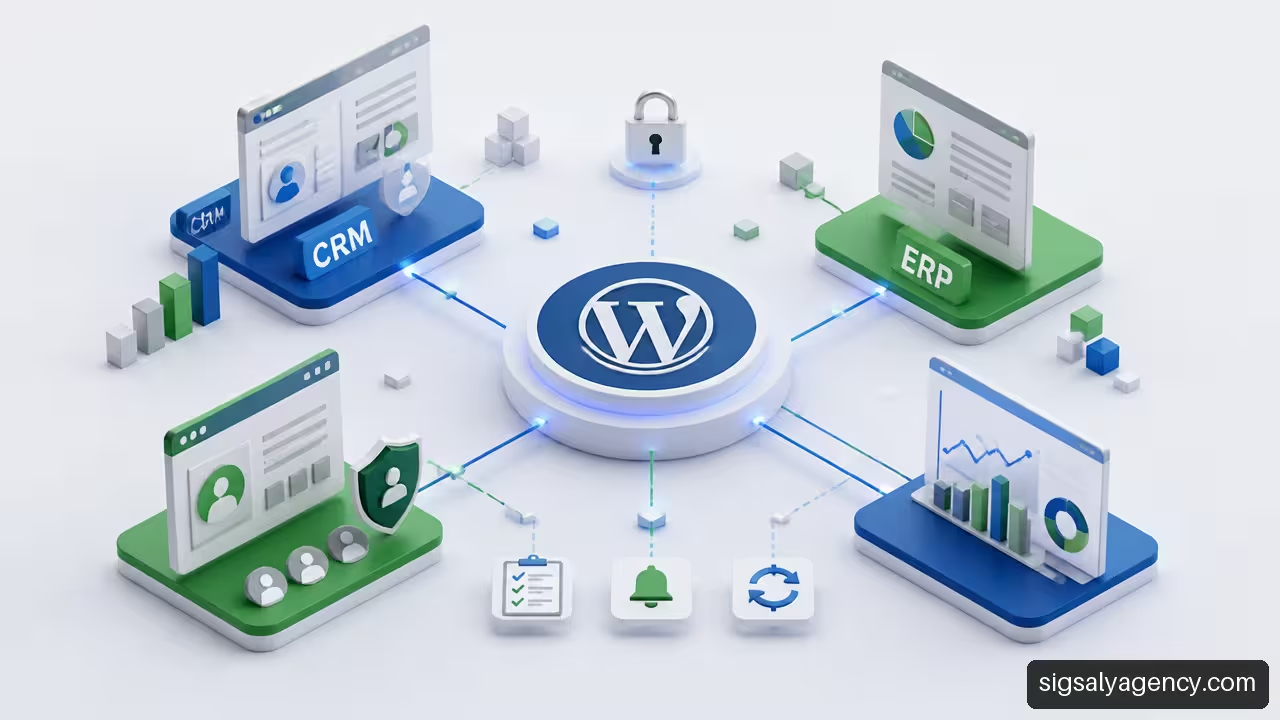
WordPress can act as a public interface, a private portal, or a data capture point, but it shouldn't always become the master system for all information. This decision is essential when connecting the site to a CRM, an ERP, an automation tool, or an internal API.
Define the Data Ownership Before Synchronizing
For each relevant piece of data, we must answer a question: Which system is the owner? The proprietary system is the one that has the authority to create or modify that data when there is a conflict.
For example, a CRM might own contacts and opportunities, while WordPress collects forms and displays content. An ERP might own pricing, inventory, and orders. WordPress might own articles, downloadable resources, or campaign pages.
Without this rule, a synchronization can overwrite correct information. Consider a contact who updates their phone number in a private area while the CRM retains an older number. If both systems can replace the value without a defined policy, the outcome will depend on which one synchronizes last.
An enterprise integration should document data ownership, authentication, synchronization frequency, errors, retries, logs, and alerts. This approach is detailed in Code Barcelona's recommendations for custom WordPress integrations.
Fault-Resistant Synchronization
A connection that works in a demo isn't necessarily ready for continuous operation. APIs can return errors, expire credentials, take longer than expected, or respond with incomplete data.
To avoid losses and duplications, robust integration typically includes several mechanisms:
• Task queue: It saves pending operations to process them without blocking the user.
• Controlled retries: re-executes a failed operation with defined limits.
• Idempotence: It prevents repeating the same request from creating two identical records.
• Event Log: Keep the request, response, date and result to investigate incidents.
• Alerts: It alerts you when failures are repeated or a synchronization has been pending for too long.
• Circuit breaker: temporarily pause calls to a service that is continuously failing.
Let's say a form sends a request to the CRM and the CRM doesn't respond. The user should only receive confirmation if the process was successfully logged. The system, for its part, should save the request, mark it as pending, and retry. Hiding the error can create a false sense of success and lead to missed business opportunities.
Standard REST API or Custom Endpoints
The WordPress REST API allows you to exchange data in JSON format with external applications, systems, and interfaces. A content type can be exposed using show_in_restWordPress allows the use of custom REST controllers when the standard endpoints don't cover the required process, according to documentation on REST support for custom content types.
Standard endpoints are sufficient when we need to query or update content using simple rules. A custom endpoint might be better when an action needs to validate various data points, query an external system, apply specific permissions, and return a response tailored to the process.
For example, “creating a product” might fit into a standard operation. However, “requesting a technical quote” might require validating the user's profile, checking availability in the ERP system, generating an internal reference, and notifying a responsible party. In that case, an endpoint designed for that action reduces scattered steps and centralizes the logic.
Web design must also consider accessibility, performance, and clarity in user journeys. strategic guide for professional web design expands on those criteria from a practical perspective.
Safety, Performance and Continuous Maintenance
Customization increases the site's possibilities, but it also expands the area that needs to be protected and monitored. An enterprise WordPress site should be planned as a living system: it receives updates, its content changes, it integrates new services, and permissions may need adjusting over time.
Protecting Private Areas and Exposed Data
Not all content should be public by default. Before publishing a CPT, document, or endpoint, we must decide whether it will be public, private, password-protected, or accessible only with authentication.
Access to public, private, protected, and personalized content depends on authentication and exposure settings, as indicated the WordPress REST API HandbookThis has a concrete consequence: activating an API or creating a content type does not imply that all its data must be available to every visitor.
A good practice is to review the data field by field. A customer record might need to publicly display the business name, but not internal phone numbers, contractual documents, team notes, or external system identifiers. Security isn't solved with just a login screen; it depends on what each role can request and receive.
Maintenance that responds to real processes
Maintenance shouldn't be limited to updating the core, theme, and plugins. On a site with enterprise functionalities, it's also essential to review integrations, scheduled tasks, credentials, error logs, backups, and testing of critical workflows.
The specific frequency will depend on the level of activity and the criticality of the system. There is no single interval supported for all projects. A corporate website with simple forms and a customer portal connected to an ERP do not have the same operational risk.
We can prioritize maintenance with this sequence:
- Apply updates in a test environment when they affect critical functions.
- Validate relevant logins, permissions, forms, payments, or synchronizations.
- Review error logs and pending tasks after each major update.
- Verify that backups can be restored, not just that they were created.
- Document changes to credentials, APIs, roles, and business rules.
Key Points
• WordPress is suitable when the company needs to combine content, processes, users, and integrations into one manageable interface.
• Specific functionalities must be based on defined data, rules, states, and permissions, not on a generic list of plugins.
• Data ownership prevents conflicts between WordPress, CRM, ERP, and other tools.
• Integrations need logging, retries, and alerts to recover from foreseeable failures.
• Separating design and business logic makes it easier to evolve the site without breaking essential processes.
• Organic visibility also depends on the alignment of architecture, content, and user experience. The approach of web design and online marketing to improve positioning It helps to connect both parties.
Frequently Asked Questions
What Exactly Is a Custom WordPress Site for Businesses?
It's a WordPress site tailored to specific processes, data, user profiles, and integrations. It can include private areas, catalogs, advanced forms, directories, booking systems, or approval workflows. Effective customization isn't measured by the number of features, but by how well they meet a real operational need.
When is it enough to configure plugins and when is custom development advisable?
Plugins are suitable for common processes that are well-handled by maintained solutions. Custom development is advisable when there are unique rules, complex permissions, integration with internal systems, or dependencies on multiple plugins for a single function. If the solution requires many manual patches, it may indicate that it needs a specific architecture.
Can WordPress integrate with a CRM or ERP?
Yes, provided the API, authentication, and external system rules allow it. Before integrating, you must define what data is exchanged, who owns each piece of data, when it is synchronized, and how errors are handled. Without these decisions, the integration can generate duplicates or overwrites.
What happens if the CRM or external API becomes unavailable?
The site should log the incident and retain the pending operation whenever possible. It can then be retried in a controlled manner. For sensitive business or administrative processes, it's also advisable to alert a responsible person. Recovery should be designed before launch, not after a request is lost.
How are different roles created for employees, customers, and distributors?
Roles are defined according to responsibilities, and specific capabilities are assigned to each. For example, a client can only read their documents, a distributor can edit their assigned profile, and an editor can prepare content without publishing it. Testing should be performed with each user profile, not just administrator accounts.
Can a private area be protected for customers or employees?
Yes. Protection can combine authentication, roles, capabilities, user restrictions, and control of data exposed via APIs. It's also important to check direct links, attachments, and endpoints to prevent private resources from being accessible outside the authorized area.
Should you use the standard REST API or create custom endpoints?
The standard API is suitable for simple content operations. Custom endpoints are preferable when an action involves multiple rules, validations, special permissions, or connections to other systems. The decision depends on the complexity of the process, not on an isolated technical preference.
Sources and References
- WordPress Developer Resources + Adding REST API Support for Custom Content Types — https://developer.wordpress.org/rest-api/extending-the-rest-api/adding-rest-api-support-for-custom-content-types/
- WordPress Developer Resources + REST API Handbook — https://developer.wordpress.org/rest-api/
- Learn WordPress + Custom post types and capabilities — https://learn.wordpress.org/tutorial/custom-post-types-and-capabilities/
- Code Barcelona + Bespoke WordPress design and development — https://codewebbarcelona.com/en/service/web-design-development/wordpress-development/