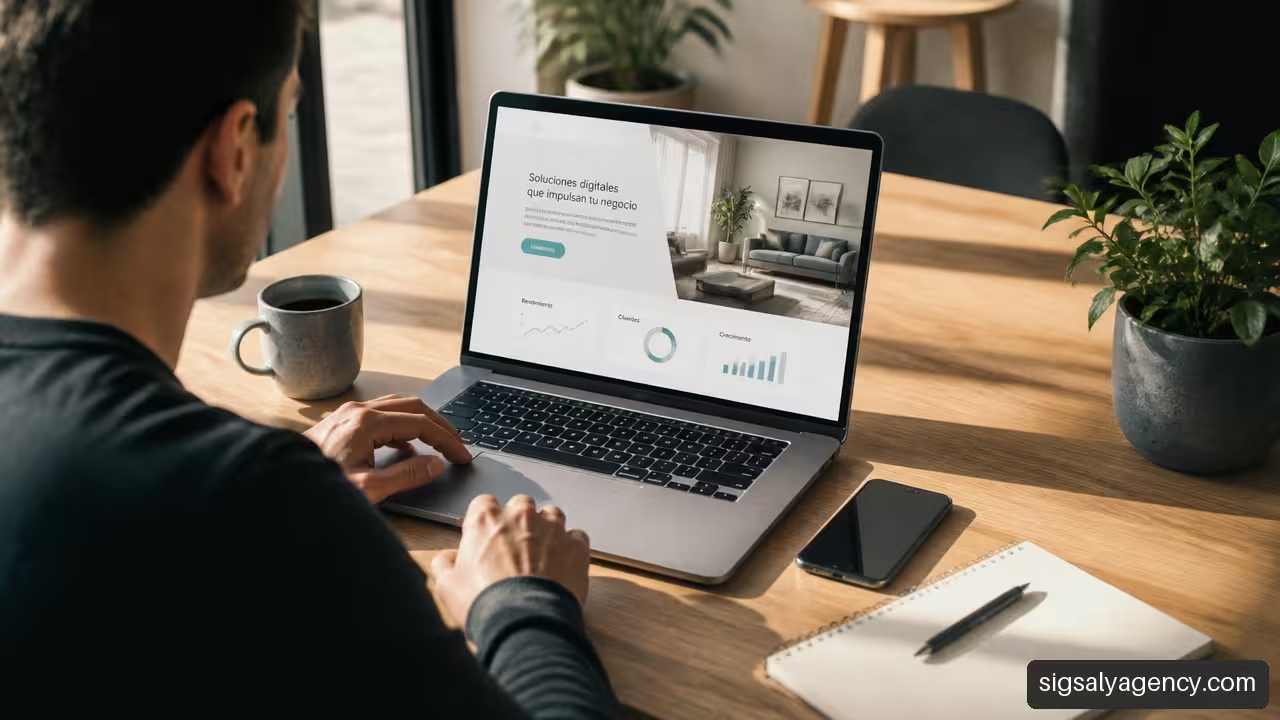
A Website to launch a new business and get customers It shouldn't be a digital brochure with generic information. It should function as a meeting point between a specific need and a clear offer: explaining what you sell, building trust, and guiding each visitor toward a useful action.
You don't need to publish a huge website to get started. You just need to build a page that answers three questions in a few seconds: What problem are you solving, for whom are you solving it, and what should the interested party do now?From there, you can expand content, automate processes, and improve lead generation with data.
Table of Contents
Reading Route
- Validate the offer before building
- Create a website that converts visits into leads
- Attract Traffic and Manage Leads
- Key Ideas
- Frequently Asked Questions
- Sources and References
How to Use This Guide
Start by defining your desired conversion rate. Then, create a minimum viable page, choose a tool you can maintain, and connect the website to a simple sales process. This order avoids a common mistake: spending weeks on design before knowing if the message, offer, or lead generation channel is working.
Validate the offer before building
Choose a Primary Conversion
The first decision isn't choosing a template, a color, or a content management system. It's deciding what you want to happen when someone visits your website.
A conversion is a measurable action that brings a person closer to becoming a customer. Depending on the type of business, it can vary:
| Type of Business | Recommended Primary Conversion | When Does It Make Sense |
|---|---|---|
| Professional service | Request a quote | When the price depends on the scope or the need |
| Consulting or training | Book a call | When diagnosis is needed before selling |
| Local business | Call, make an appointment, or visit | When proximity and availability matter |
| E-commerce | Buy | When the product has a clear price and process |
| Digital product | Buy or try a demo | When value can be understood without a meeting |
| Project under validation | Leave your email or request information | When you're still checking the actual interest |
My recommendation is to choose one priority action per pageIf a page asks visitors to buy, call, download a guide, follow a social network, and subscribe to a newsletter all at the same time, they have too many decisions to make. This friction reduces clarity.
For example, a company that installs air conditioning systems doesn't need its homepage to first invite visitors to "learn about the brand." It needs a site where someone with a breakdown or a renovation project can request a visit, specify their location, and explain their needs. The website should adapt to the user's current business situation, not to the company's internal organizational chart.
An effective business website doesn't try to tell you everything from the first scroll. It organizes the information so that the next step feels logical.
Create a Minimum Viable Page
Before developing a complete site, you can create a minimum viable landing pageIt's a page focused on a specific offer, audience, and action. Its purpose isn't to represent the entire company; it's to test whether people understand the offer and show interest.
It includes these parts:
- A headline that names the main result.
- A subtitle that clarifies who the offer is for and how it works.
- A brief explanation of the service, product, or process.
- Available evidence of trust, such as authoritative reviews, certifications, examples, or actual guarantees.
- A visible CTA.
- A short form or direct contact method.
If you sell tax advice to freelancers, a less helpful proposal would be: “Comprehensive solutions for businesses.” A more specific proposal could be: “Tax management for freelancers who want to file their taxes without wasting hours each quarter.” It doesn't promise impossible results, but it does define the problem and the target audience.
This phase also helps determine if you need to change your offer. If relevant visitors are coming in but no one is completing the form, the message might be ambiguous, the CTA might be asking for too much commitment, or the traffic might not be buying. It's not advisable to immediately assume the problem is the design.
Define the Message Before the Design
Design shapes the message, but it doesn't replace it. Before choosing images or fonts, write a value proposition with this structure:
I help [type of client] achieve [result or solution] through [method, product or relevant difference].
It's not a rigid formula for posting verbatim. It's a tool for clarifying ideas. If you can't explain your offer simply, it will be difficult for a visitor to understand it on a small screen and with limited time.
To organize the construction, the guide of Wix on planning, structure, content, SEO and monitoring of a business website It outlines the steps that should be coordinated before and after publishing. The practical implication is clear: the website doesn't end when it goes live. Then the work of measuring, correcting, and improving begins.
Create a website that converts visits into leads
Build the Correct Minimum Structure
A new website doesn't need twenty pages, but it does need to address basic objections. For most service-based businesses, an initial structure might include:
• Start: value proposition, benefits, social proof, and main CTA.
• Services or products: what each option includes, who it's for, and how to sign up.
• About the business: Information that reduces uncertainty, such as working methods, values, specialization, or equipment when relevant.
• Contact: form, phone, email, schedule, location or booking system.
• Legal pages: Privacy, cookies and applicable notices according to data processing and activity.
SiteGround's guide to essential pages, optimized images, basic SEO, and mobile responsiveness It summarizes several fundamentals that should be reviewed before publishing. Responsive design deserves a real-world test: open the website on mobile devices of different sizes, test the buttons with your thumb, check that the text isn't too small, and confirm that the form can be completed without zooming.
A large image, a video that plays unnecessarily, or a form that's impossible to use on a mobile device can waste a visit you've already managed to attract. Speed and usability aren't just isolated technical details: they affect the journey to contact.
Design Each Page As A Step In The Funnel
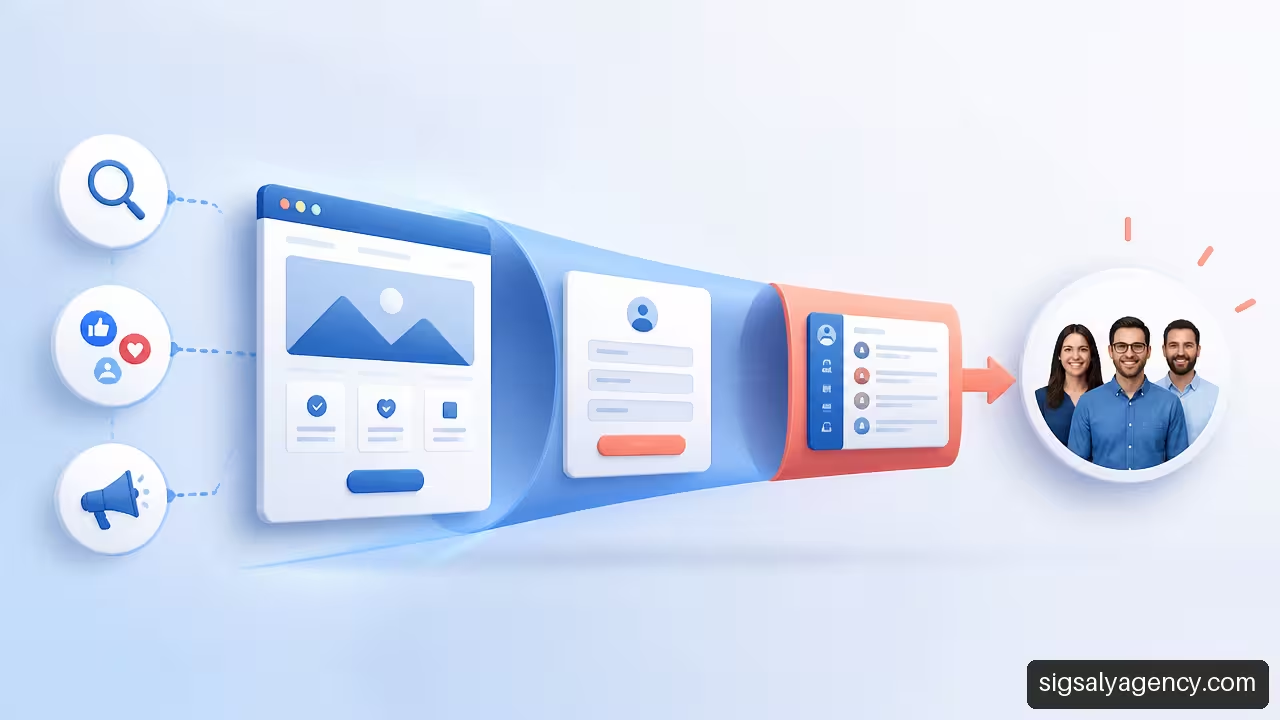
The sales funnel describes the journey from the first visit to the purchase. On a simple website, it might look like this:
| Stage | Visitor Question | The Answer the Website Should Give | Useful Metric |
|---|---|---|---|
| Discovery | Is this for me? | Clear headline and relevant content | Qualified visits |
| Consideration | Can I trust you? | Method, cases, reviews and answers | Time on page and clicks |
| Contact | What do I have to do? | Simple CTA and form | Leads generated |
| Sale | What happens next? | Response, proposal and follow-up | Opportunities and clients |
Each page should serve a purpose within this journey. A service page can provide more details for those comparing options. A contact page should reduce barriers to entry. An article can attract people who are still researching, but it should link naturally to a related offer.
Headlines, calls to action, and forms are central elements of lead generation. Webnode explains the use of clear headlines, CTAs such as request a quote or book a consultation, and contact forms as pieces of the conversion process. The criterion is not to add more buttons, but to use text that describes the next step: “Request a quote”, “Book an evaluation” or “Check availability” are usually more precise than “Submit”.
Choose Technology According to Your Situation
There is no single perfect platform for every business. The choice depends on timeframe, budget, content needs, integrations, and the ability to maintain the website.
| Option | Suitable When | It can fail when |
|---|---|---|
| Website creator | You need to publish quickly and with minimal complexity. | You require customizations, integrations, or advanced technical control |
| WordPress with CMS | You need content, SEO, growth, and flexibility | You don't plan to maintain updates, security, and plugins |
| Custom development | The purchasing process or operation requires specific functions | Your budget is limited or you haven't yet validated the offer. |
A website builder might be sufficient for a services menu, a portfolio, or an initial landing page. WordPress is usually a good fit when the website will be a marketing asset with content, campaign pages, forms, automations, and continuous improvements. Custom development makes sense when the business relies on its own workflows, such as complex configuration tools, private portals, or operational integrations that standard tools don't handle well.
I would avoid building a custom website from the start if you don't yet know your customers' frequently asked questions, the sales process, or your primary lead generation channel. First, validate the process; then automate what already works. To delve deeper into the relationship between structure, visibility, and campaigns, this approach might be helpful. professional web design SEO and Google Ads by niche.
Reduce Form Friction
A form should only ask for the information you need to respond to and qualify the contact. For an initial contact, name, contact method, need, and privacy consent are usually sufficient. Asking for a quote, ID, full address, and ten additional fields can discourage valid inquiries.
HubSpot suggests using forms and calls to action to capture potential customers on service websitesThe form is not the end of the process: it must trigger a response. Ensure that each submission reaches a reviewed inbox, a CRM, or both.
Attract Traffic and Manage Leads
Prioritize the Channel According to the Intention
Not all channels solve the same problem. Choosing them based on trends can generate visibility without sales opportunities. Think about the person's intention first.
| Channel | Prioritize it. If | Avoid it as your only channel. |
|---|---|---|
| SEO | Your audience is searching for solutions on Google, and you can create useful content. | Do you need immediate demand or is your product or service barely being sought after? |
| Local SEO | You serve specific areas and compete for geographic searches | You sell without territorial limits and you have no physical presence. |
| Google Ads | There is search intent and you need to test messages quickly. | You can't handle contacts or measure subsequent sales. |
| Social networks | Is your offer visually clear, or does the community influence the purchase? | You expect sales without content, conversation, or consistency |
| Direct intake | Do you know of any specific companies or profiles that are a good fit? | Your message is generic or you can't personalize the proposal |
| Recommendations | You already have a professional network or your first satisfied clients | You are completely dependent on third parties to sustain demand |
SEO can bring sustained traffic, but it's rarely immediate. Advertising can accelerate message and offer testing, though it requires budget control and monitoring. Social media helps build trust and reach, but it's no substitute for a converting website.
You don't need to open all channels at once. It's better to choose one with high intent, such as local search or campaigns targeting a specific need, and one for building trust, such as content or social media. Then compare results using the same criteria.
The combination of design, content, campaigns, and analytics tools deserves joint planning. This guide... Web design, online marketing, and MCP to improve your ranking It can help you connect those pieces without treating them as isolated actions.
Measure Traffic, Leads and Customers Separately
A visit is not a lead. A lead is not a customer. Mixing these metrics can make a channel appear profitable when, in reality, it only generates unqualified inquiries.
Record at least this information:
- Traffic source: SEO, advertising, social network, recommendation, email or direct access.
- Web conversion: form, call, reservation, purchase or download.
- Lead quality: Fits, doesn't fit, pending information, or no response.
- Commercial result: proposal sent, opportunity open, sale closed or loss.
- Cost per customer acquired: channel investment divided among new customers acquired.
Cost per lead is still useful, but it's not enough. Imagine two campaigns: the first generates twenty forms and no sales; the second generates four inquiries and closes two deals. The second campaign might be more valuable even though it appears to have a lower volume.
BigSEO proposes evaluating lead generation with qualified traffic, conversion, tracking, rapid response, and measurement by customer and cost per customerIt is a particularly useful approach in new businesses because it forces you to connect marketing and sales from the very beginning.
Respond Before Interest Cools
Response time is a key factor in conversion, although there's no single metric that works across all sectors. Someone requesting a quote might be comparing several options. If they receive a clear response from another company before yours, your website may have performed well, but you could still lose the opportunity.
Set up a simple process:
• Automatic notification of receipt with a realistic response time.
• Internal notification to ensure no one leaves the lead unchecked.
• Initial classification in a CRM or a structured spreadsheet.
• Adaptable response template, not a cold and identical message for everyone.
• Follow-up reminder if there is no response after the first contact.
A CRM doesn't have to be complex. Initially, its essential function is to prevent churn: knowing who contacted you, what they asked for, when they responded, and what happened afterward. As volume increases, you can add automations, segmentation, and email nurturing.
To design a complete acquisition and tracking system, review Online marketing: how to create a strategy that sellsThe website captures attention; the subsequent process turns that attention into a useful business conversation.
Key Ideas
Launch Priorities
• Define a single main conversion before designing the homepage.
• Publish a minimum viable page if you are still validating the offer.
• Write the value proposition with a problem, an audience, and a concrete solution.
• Prioritize structure, mobile speed, and ease of contact before adding decorative elements.
• Choose acquisition channels based on purchase intent, not just popularity.
• Measures the complete journey from the traffic source to the acquired customer.
Signs You Need to Fix Your Website
| Sign | Possible Cause | First Action |
|---|---|---|
| There are visits but no contacts. | Confusing proposal or weak CTA | Simplify the message and test one main action |
| Contacts arrive without a fit | Too much traffic or unclear form | Clarify who the service is for and add qualification questions |
| There are forms but few sales | Slow tracking or poor price expectations | Review the business response and the information prior to contact. |
| The website does not appear in relevant searches | Lack of content geared towards real demand | Create specific pages for particular services, areas, or problems |
Frequently Asked Questions
What Should a Website Have to Launch a Business from Scratch?
You must explain the offer, identify the potential customer, show a clear action, and make it easy to get in touch. At a minimum, create a homepage, a services or products page, a contact page, and the necessary legal texts. If the business is local, add the service area, hours of operation, and booking methods.
Is it better to create the website before or after validating the idea?
The wisest approach is usually to create a minimal page before building a full website. This allows you to gauge interest in your proposal. Then, use the questions and feedback you receive to refine the structure and content.
How Much Does It Cost to Create a Website to Get Clients?
It depends on the solution, the content, the integrations, and the maintenance. A website builder can reduce the initial cost, while a WordPress site or a custom development requires more planning. There's no single reliable figure: compare the cost with the ability to attract and manage clients, not just the publishing price.
Can I Create a Website Myself Without Knowing How to Program?
Yes, especially if you need a landing page or a simple website. Even so, you'll still need to dedicate time to writing and structuring the offer, reviewing the mobile version, setting up forms, and complying with applicable legal obligations. If the website is key to sales, it might be worthwhile to seek help with strategy, design, or performance.
Which Call to Action Should I Use?
Use the call to action that represents the next natural step. “Buy now” works for clearly priced products. “Request a quote” fits with personalized services. “Book a call” is useful when you need to understand the situation before offering a solution. Avoid vague CTAs like “Learn more” if you can be more specific.
Do I Need a Blog to Get Clients?
Not always. A blog makes sense if your audience is looking for answers, comparing options, or needs education before buying. If you've just launched a business, creating strong service pages and a clear landing page is usually a higher priority. Content can then bolster SEO and build trust.
How Do I Know Which Channel Brings Me Sales?
Add a lead source field to the form, tag campaigns, and record each lead in a CRM or tracking system. Then link the source to sent proposals and closed sales. Asking "How did you hear about us?" can also provide context when tools don't record the entire lead journey.
Sources and References
Verified Sources
- Wix + Guide to creating websites: https://es.wix.com/blog/guia-para-crear-paginas-web
- Webnode + How to create a business website step by step: https://www.webnode.com/es/blog/crear-una-web-profesional/
- BigSEO + How to attract more customers to my website: https://bigseo.com/blog/como-atraer-mas-clientes-web/
- SiteGround + How to create a website step by step: https://www.siteground.com/es/academy/como-crear-una-pagia-web/
- HubSpot + Create a free website for your service business: https://www.hubspot.es/products/cms/services-industry-website