He web design It has become the fundamental strategic pillar for any organization seeking to build credibility, attract customers, and scale its online operations. Far from being a mere aesthetic exercise, an effective digital presence combines information architecture, usability (UX), visual interface (UI), search engine optimization (SEO), and rigorous compliance with technical accessibility standards. We analyze the technical, methodological, and regulatory criteria for designing and implementing high-performance websites geared toward measurable business results.
Table of Contents
• Table of Contents
• Keys to High-Performance Web Design
• Technical and Visual Foundations of Modern Web Design
• Web Accessibility and Regulatory Compliance in Spain and Europe
• Information Architecture, Usability, and Conversion Optimization
• Choosing Platforms and Technologies: CMS vs. Custom Development
• Project Methodology, Evaluation and Continuous Maintenance
• Frequently Asked Questions about Web Design
• Sources and References
Keys to High-Performance Web Design
• Technological and semantic integrationThe basic structure should be supported by semantic HTML and modern CSS, ensuring a clear separation between the content and the presentation layer.
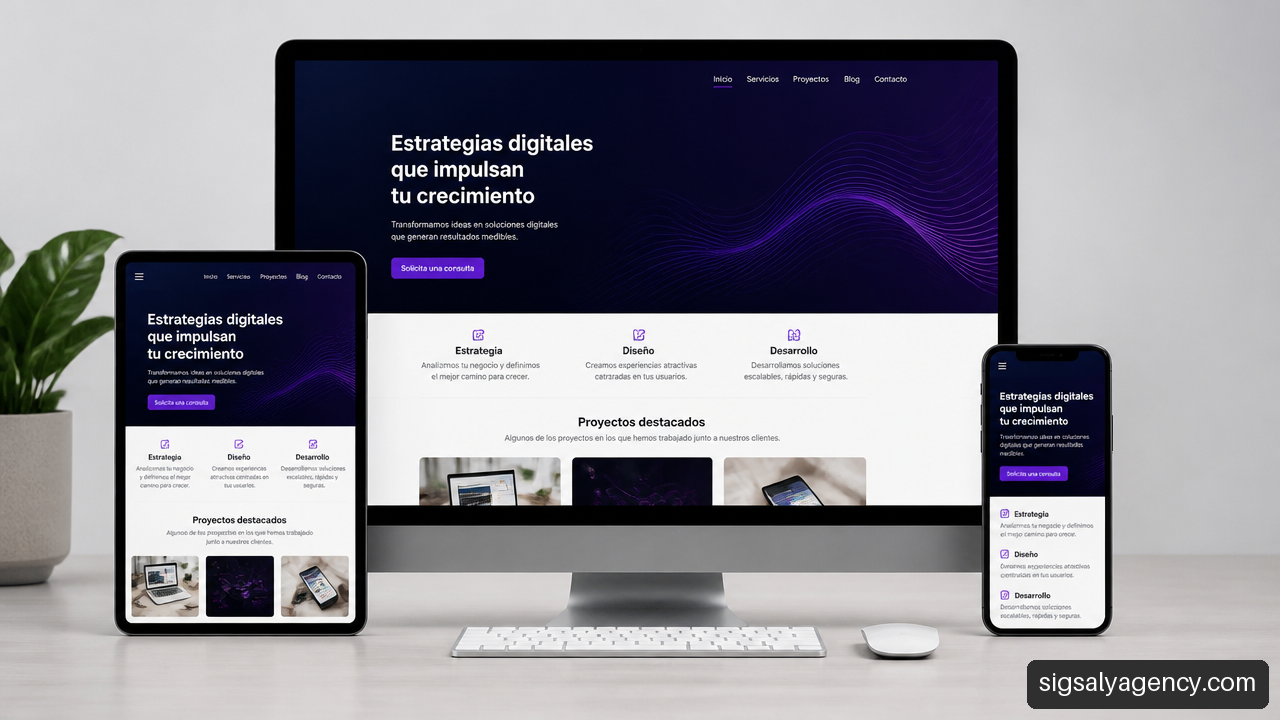
• Mobile priority focusAdaptability is not optional. It is essential to structure the visual flow with touchscreens in mind and progressively adjust the components for desktop monitors.
• Legal compliance and accessibility: The WCAG 2.2 accessibility criteria They define the most relevant verifiable accessibility requirements for web design decisions, aligning with international and local directives.
• Technical performance metricsLoading speed and visual stability directly influence user experience and search engine ranking factors.
• Sustainability and maintenanceA website requires constant updates, security patches, and robust infrastructure to maintain its operational value over time.
Technical and Visual Foundations of Modern Web Design
Building a digital platform requires balancing the graphic design with the robustness of the internal architecture. When we approach a project of web designWe thoroughly evaluate how the browser's executable code interacts with the visual elements presented to the visitor.
Semantic Structure with HTML and Styles with CSS
The foundation of an accessible and easily crawlable interface for search engines lies in the correct choice of HTML tags. The use of semantic elements such as , , , and It provides a clear map of the page for both browsers and assistive technology products, such as screen readers.
On the other hand, the strict separation of responsibilities requires that visual design rules fall exclusively to CSS. The use of advanced technologies such as CSS Grid and Flexbox allows for the construction of complex and fluid layouts without resorting to unnecessary JavaScript code or outdated table structures.
The Importance of Responsive and Mobile-First Design
User behavior confirms that most web traffic comes from mobile devices. Implement an approach mobile-first This involves first designing the architecture for the smallest screen and then expanding the design through media consultations (media queries) towards larger resolutions. To broaden the strategic perspective on this digital transition, it is very useful to review the mobile revolution and responsive web design in today's business environments.
Responsive design ensures that images, fonts, and data grids scale proportionally. This prevents content from overflowing the browser frame and eliminates the need for horizontal scrolling.
Visual Hierarchy, Typography, and Color Palette
Visual hierarchy intuitively guides the user's eye to the most critical information. To achieve this, we coordinate several factors:
- Contrast and typographic scaleHeadings should have a different size and visual weight compared to paragraph text to facilitate quick reading.
- White space: The proper use of margins and padding (padding) reduces cognitive fatigue and visually groups related concepts.
- Intentional use of colorA brand's color palette should support the visual identity without compromising text readability or site accessibility.
Web Accessibility and Regulatory Compliance in Spain and Europe
Web accessibility ensures that all people, regardless of their physical, sensory, or cognitive abilities, can perceive, understand, navigate, and interact with digital content. Designing for accessibility benefits users with permanent disabilities as well as those with temporary or situational limitations.
WCAG 2.2 Principles and Verifiable Conformance Tests
The Web Content Accessibility Guidelines (WCAG 2.2) articulate their conformance criteria around four fundamental principles: perceivable, operable, understandable, and robust. Each of these principles establishes specific quality controls that must be audited during the visual production and layout phase.
| WCAG Criterion 2.2 | Level of Conformity | Verifiable Technical Requirement | Impact on the User |
|---|---|---|---|
| Minimal Contrast | AA (4.5:1 normal text) | Luminance ratio between text and background equal to or greater than 4.5:1. | It allows reading for users with low vision or under intense sunlight. |
| Keyboard Navigation | TO | All interactive functionality is accessible via the Tab and Enter keys. | Essential for users without a mouse or with assistive technologies. |
| Visible Focus Indicator | AA | Clear border or highlight on the active element focused by keyboard. | It constantly reports the current position of the navigation cursor. |
| Redistribution (Reflow) | AA | The content adapts to 320px width without loss of information or horizontal scrolling. | It facilitates reading with high zoom and on narrow screen mobile devices. |
Legal Framework: Royal Decree 1112/2018 and the European Accessibility Act
At the national level, the Royal Decree 1112/2018 It establishes accessibility obligations for public sector websites and mobile applications, requiring these entities to maintain an up-to-date accessibility statement and direct communication channels for users.
Furthermore, European legislation promotes the accessibility framework through the European Accessibility ActThis affects certain digital products and services in the private sector. The regulations require e-commerce, banking services, and interactive portals to adopt uniform criteria to guarantee equal access.
Correct Use of Semantic HTML and ARIA Attributes
A common mistake during the layout process is the overuse of generic tags. <div> modified by scripts to behave like buttons or menus. This practice breaks the browser's native accessibility.
Fundamental ruleAlways use the native HTML element that corresponds to the intended function (such as
either<a>).
According to the W3C ARIA user guideThese attributes should complement, not replace, native semantic HTML. ARIA should only be used when standard HTML elements are insufficient to describe complex dynamic interface states.
Information Architecture, Usability, and Conversion Optimization
An excellent website not only attracts visitors, but also smoothly guides the user towards a specific action, such as completing a form, scheduling a call, or making a purchase.
UX/UI Principles to Guide User Navigation
User experience (UX) studies the mental and emotional processes a person experiences when interacting with an interface. User interface (UI) focuses on visual and interactive touchpoints. Combining both areas results in clear and predictable navigation.
• Consistent mental modelsNavigation menus, search icons, and shopping carts should be located in areas typically expected by the audience.
• minimal cognitive loadReduce the number of simultaneous options on screen. Presenting too many alternatives leads to analysis paralysis and reduces response rates.
• Immediate feedbackEvery button or link should display a visual state change (hover, focus, active) to confirm user interaction.
Loading Speed, Web Performance, and Core Web Vitals
Server response time and the optimization of digital assets affect user retention. Google measures performance quality using Core Web Vitals metrics:
- LCP (Largest Contentful Paint): Evaluates the time it takes for the main content element visible on the screen to load. The ideal value should be below 2.5 seconds.
- INP (Interaction to Next Paint): Measures the page's response latency to user actions and interactions. It should be kept below 200 milliseconds.
- CLS (Cumulative Layout Shift): Measures visual stability by avoiding sudden and unexpected changes in layout during loading. The optimal range is less than 0.1.
Conversion-Focused Design and Calls to Action (CTAs)
Calls to action (Calls to ActionThey organize the customer journey. To optimize their conversion rate, we apply the following guidelines:
• Strategic location: Place the main call to action above the fold (above the fold) and repeat it after relevant blocks of informational text.
• Value-oriented writing: Replace generic verbs like "Send" with expressions focused on the direct benefit for the visitor, such as "Get a personalized proposal".
• Relevant chromatic contrast: Assign a prominent and identifiable color to the action buttons to visually isolate them from the rest of the elements that make up the page.
Choosing Platforms and Technologies: CMS vs. Custom Development
Selecting the right environment to build a website depends on business objectives, available budget, integration needs, and the team responsible for managing content.
When to Choose WordPress for Corporate and Scalable Projects
WordPress has established itself as the world's most widely used content management system (CMS) thanks to its flexibility, ecosystem of extensions, and robust publishing architecture. For commercial projects requiring complete control over their digital assets, choosing WordPress is the ideal solution. web development and design with WordPress It allows you to customize every functional aspect without being tied to closed subscription solutions.
Comparison of Technology Stacks and Content Management
We evaluate the structural differences between the various development approaches to facilitate technological decision-making:
| Selection Criteria | Open Source CMS (e.g., WordPress) | Proprietary CMS / SaaS (e.g. Webflow) | Custom Development (Frontend + API) |
|---|---|---|---|
| Property of the Code | Total. Server migration autonomy. | Limited. Dependence on the service provider. | Total. Exclusive property of the repository. |
| Initial Cost | Moderate. | Low to moderate (periodic subscription). | High. Requires continued investment in engineering. |
| Ease of Editing | Very high for non-technical teams. | High with intermediate learning curves. | It requires custom panels or developer management. |
| Technical Scalability | Enhanced through database optimization and caching. | Limited by the supplier's plans. | Maximum. Performance optimized for the exact use case. |
| Technical Maintenance | Requires periodic updates of core and plugins. | Automatically managed by the platform. | It requires a dedicated technical maintenance team. |
Security, Hosting and Server Infrastructure
The performance of any web project depends directly on the quality of the infrastructure where it is hosted. Dedicated servers with well-optimized Linux environments offer superior guarantees in terms of PHP processing speed, memory management for MySQL databases, and isolation from potential security incidents.
A professional hosting environment should incorporate HTTPS protocols through updated SSL/TLS certificates, web application firewalls (WAFs), and server-level caching systems (such as Redis or Memcached).
Project Methodology, Evaluation and Continuous Maintenance
A project of web design It doesn't end with publishing the files on the production server. It's an iterative process that requires periodic audits and ongoing technical reviews.
Key Phases of the Professional Web Design Process
- Requirements gathering and strategy: Definition of business objectives, analysis of the competition, delimitation of the target audience and structuring of content.
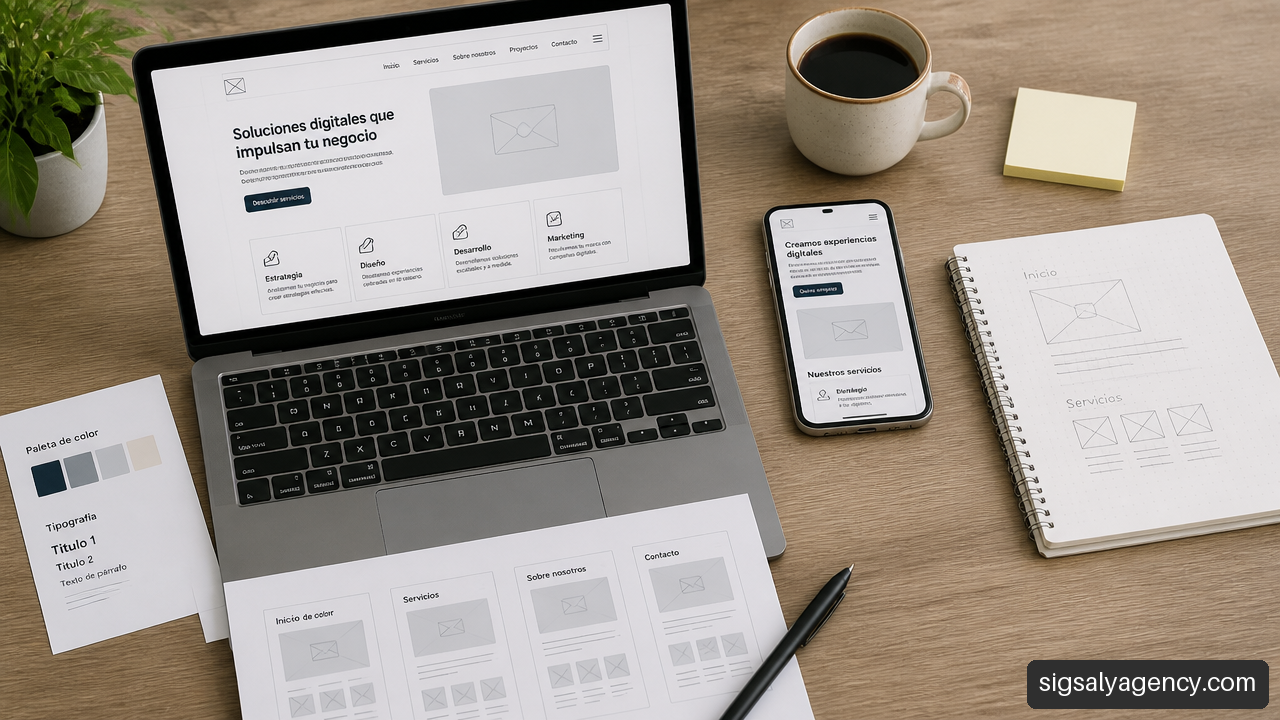
- Wireframing and prototyping: Creation of black and white schematics to validate the information architecture before addressing the final aesthetic layer.
- UI design and design systemsDefinition of reusable components, style libraries, typographic guides, and color palettes.
- Development and layout: Conversion of designs to clean, semantic, accessible and responsive code.
- Testing and quality assurance (QA): Checking compatibility between browsers, performance, forms and accessibility.
- SEO deployment and optimization: Web analytics setup, search engine indexing, and official publication.
Combined Auditing and Testing: Automated and Manual
We evaluate the quality of a digital platform by combining two complementary testing methodologies:
• Automated analysis toolsSolutions like Google Lighthouse or WAVE identify structural code flaws, obvious color contrast problems, and missing image attributes in just a few seconds.
• Manual revisions and usage testsAutomated tools detect only a limited percentage of accessibility and usability issues. It is essential to perform manual tests navigating exclusively with the keyboard, validate with screen readers, and conduct test sessions with real users.
The Importance of Preventive and Evolutionary Maintenance
An abandoned website is exposed to security vulnerabilities, script incompatibilities, and a gradual loss of search engine rankings. To learn more about key protection and update strategies, it's advisable to review the Website maintenance and its importance as a determining factor in the continuous performance of enterprise platforms.
Evolutionary maintenance ensures that the website constantly adapts to changes in audience consumption habits and periodic search engine updates.
Frequently Asked Questions about Web Design
What does a comprehensive professional web design service include?
A professional service encompasses preliminary research, information architecture, user interface (UI/UX) design, responsive HTML and CSS layout, integration with content management systems (CMS), on-page SEO optimization, security configuration, and deployment on an optimized server.
What is the exact difference between web design and web development?
He web design It focuses on user experience, visual layout, color scheme, usability, and interface aesthetics. Web development encompasses programming the code that makes the structure work, server-side logic, databases, and complex interactivity.
What web accessibility requirements are mandatory in Spain?
In Spain, Royal Decree 1112/2018 requires the websites and mobile applications of public administrations and public law entities to comply with the WCAG Guidelines (level AA). Furthermore, the transposition of European directives requires companies in certain service sectors to apply equivalent accessibility standards.
How does web design influence a site's SEO ranking?
Web design directly influences SEO through loading speed (Core Web Vitals), proper use of semantic headings, mobile responsiveness, ease of crawling by search engine robots, and user retention rate based on frictionless usability.
Is it preferable to use WordPress or develop a custom website?
WordPress is the most convenient option for the vast majority of small, medium, and large businesses seeking autonomy in content management and technological flexibility. Custom development is reserved for platforms with highly specific business processes or hyper-customized software architectures.
How often should a website design be audited and updated?
Continuous performance and security audits are recommended on a monthly or quarterly basis. A complete redesign is typically considered every 2 to 4 years to adapt the corporate image, underlying technology, and functionalities to new market standards.
Sources and References
• W3C — Web Content Accessibility Guidelines (WCAG) 2.2: https://www.w3.org/TR/WCAG22/
• W3C — Using ARIA: https://www.w3.org/TR/using-aria/
• Official State Gazette (BOE) — Royal Decree 1112/2018, on the accessibility of websites and mobile applications of the public sector: https://www.boe.es/eli/es/rd/2018/09/07/1112
• European Commission — European Accessibility Act: https://ec.europa.eu/social/main.jsp?catId=1202