He Web design for professional service companies It must accomplish a very specific task: helping someone with a genuine need understand what you offer, why your company is a good fit, and what the next step is. Simply presenting a polished image isn't enough. A website for an advisory firm, consultancy, clinic, office, or technical company must address any questions before the first sales conversation.
An effective corporate website doesn't try to explain everything on the homepage. It organizes the information so that each visitor can easily find the service, proof of trust, and action they need.
Table of Contents
- Define The Strategy Before Design
- Create Service Pages That Convert
- Designing Contact Acquisition and Qualification
- Choosing Technology, SEO, and Maintenance
- Key Takeaways
- Frequently Asked Questions
Define The Strategy Before Design
A service company doesn't sell an object that can be compared to a product description. It sells knowledge, availability, methodology, technical expertise, or specialized intervention. Therefore, before choosing colors, fonts, or a CMS, I suggest defining the website's commercial function.
Clarify the Main Conversion
A conversion is an action that has value for the business. It could be a quote request, a booking, a call, an initial inquiry, or the download of useful information. Choosing a single primary conversion prevents the website from asking for too many things at once.
For example, a clinic with appointment-based services can prioritize bookings. A B2B consultancy working on complex projects can generate better leads by inviting clients to request an initial consultation. A law firm offering urgent services can prominently display a phone number and a brief contact form.
Before designing, it is advisable to answer these questions:
• Which service should be sold first?
• What type of customer is the best fit?
• What information does that person need to move forward?
• What action can you take without feeling pressured?
• Who responds to the contact and within what timeframe?
If the company doesn't address these issues, the design might be visually appealing but commercially weak. A "Contact Us" button is of little use if the visitor doesn't know what happens next or what information they need to provide.
Translating the Offer into a Clear Architecture
Information architecture organizes pages and user journeys. In a service company, it should reflect how the customer buys, not how the internal organizational chart is structured.
A typical structure might include these areas:
• Start, with value proposition and access to priority services.
• Service pages, one for each important need.
• Sectors or customer profiles, if the message changes significantly.
• Methodology, to explain how the work is done.
• Authorized cases, credentials, or testimonies.
• Contact, booking or request for diagnosis.
Not all of them are always necessary. A company that offers two clear services can function with a compact website. In contrast, a technical firm with diverse services, markets, and decision-makers will need more depth.
The rule of thumb is simple: if a user needs to understand a different offer, evaluate a different specialty, or make a separate decision, they deserve their own page. Grouping too many services on a single page forces them to read a lot and compare very little.
Turning Identity into Signals of Trust
Branding is not just about using the logo consistently. In professional services, the visual identity should help convey the level of specialization, the type of relationship, and the company's tone.
A tax consultancy may need clarity and organization. An architecture firm may require more visual space to showcase projects. An industrial consultancy may prioritize schemes, processes, and certifications. Design should support the message, not compete with it.
The most useful signals of trust are usually concrete:
• Specialties explained in understandable language.
• Team or responsible parties identified when appropriate.
• Visible work process.
• Success stories that respect confidentiality.
• Verifiable accreditations, associations or methodologies.
• Consistent and easy-to-find contact information.
To delve deeper into the relationship between structure, accessibility, and performance, it is useful to review this strategic guide for professional web design.
Create Service Pages That Convert
The service page is, in many cases, the core of web design for professional service firms. It shouldn't be a digital brochure full of vague promises. It should answer the questions that arise before requesting a meeting.
The Structure That Reduces Uncertainty
An effective service page can follow a logical sequence. First, it identifies the problem or need. Then, it explains who the service is for, what it includes, how it is delivered, and what the next step is.
A useful structure would be:
- Clear headline: It explains the service and the expected result without exaggeration.
- Customer situation: Describe the problem you want to solve.
- Scope: It details which tasks, deliverables, or phases are included.
- Process: It shows how the work is carried out.
- Trust proofs: It incorporates methodology, demonstrable experience, or authorized cases.
- CTA: It indicates a specific action, such as requesting an assessment or booking a consultation.
Let's consider a data protection consultancy. "Comprehensive solutions for companies" is too broad. A more useful formulation would be: "Assessment and support to adapt internal processes and documentation to applicable obligations." The second option allows the visitor to understand what is being discussed and decide if they need more information.
Explain Scope, Limitations, and Exclusions
Service pages often fail because they are too vague. Saying that you offer "full consultation" might sound appealing, but it also raises questions: Does it include implementation? How long does it take? Are there meetings? What documentation is provided? What's excluded?
It's not necessary to publish every contractual detail, but it is advisable to anticipate relevant questions. This improves the quality of applications and reduces conversations that don't lead to a real opportunity.
A page might indicate, for example:
• What situation does the service address?
• What the customer receives upon completion.
• What collaboration is expected from you.
• What needs require a customized budget.
• When the service is not the right option.
This last point deserves attention. If a company only works on complete transformation projects, it can respectfully indicate this. Filtering doesn't mean losing customers; it means guiding each visitor toward the most suitable option.
Using Evidence Without Compromising Confidentiality
In professional sectors, confidentiality sometimes limits the publication of names, figures, or documents. Even so, useful evidence can be presented without revealing sensitive information.
A success story can describe the context, the challenge, the intervention, and the observable result. For example: a technical services company needed to organize requests scattered across emails; the solution involved creating contact routes by type of need and integrating a registration flow. There's no need to publish private information to explain the problem and the methodology.
Authoritative testimonials, professional credentials, areas of expertise, technical articles, and process explanations can also be used. The important thing is to avoid generic phrases like "we are leaders" unless they are accompanied by data or context that helps the visitor evaluate that claim.
Designing Contact Acquisition and Qualification
Generating a lot of forms doesn't equal generating leads. A website can attract irrelevant, duplicate, or impossible-to-handle inquiries if it doesn't connect the design with the sales process.
Differentiating between Immediate Contact and Diagnostic Consultation
Not all visitors are in the same situation. Some have an urgent need and want to call. Others are comparing providers and need to understand the service before speaking. Still others aren't yet sure if the problem requires outside help.
Therefore, I recommend using different calls to action depending on the intention:
| Visitor Situation | Recommended Action | Necessary Information |
|---|---|---|
| Urgent and clear need | Call or request quick contact | Telephone, urgency, and main topic |
| Project defined | Request a quote | Service, scope, timeframe, and contact details |
| Complex or poorly defined need | Book a consultation or diagnosis | Context, objective and main challenges |
| Research phase | Download guide or subscribe | Email and consent, if applicable |
A landing page can be very useful for a specific campaign or a single service. However, it doesn't usually replace a full corporate website when the client needs to compare specialties, review methodology, and learn about the company before contacting them.
Create Forms That Filter Without Slowing Down
A form that's too short can generate unhelpful leads. One that's too long can reduce legitimate inquiries. The solution usually lies in progressive qualification: asking for essential data first and expanding on the information in a second phase.
For a professional services firm, the initial fields might include:
• Name and company.
• Corporate email or telephone.
• Service of interest.
• Brief description of the need.
• Indicative timeframe.
In some cases, it may be reasonable to ask for an approximate budget, company size, or location. This should only be done when that information truly affects the project's viability. A local clinic, for example, might need to know the location. An international consulting firm might not need it at first.
It's also important to explain what will happen after submitting the form. A message like "We will get back to you to assess your case" is clearer than a simple "Form submitted."
Connect Web, Email, Calendar and CRM
Design ends where operations begin. If a request arrives in an email without an assigned person, it gets lost. If a visitor books a meeting and no one checks the schedule, the experience is disrupted. If data is manually copied across multiple systems, errors increase.
Before publishing, it is advisable to define an operational process:
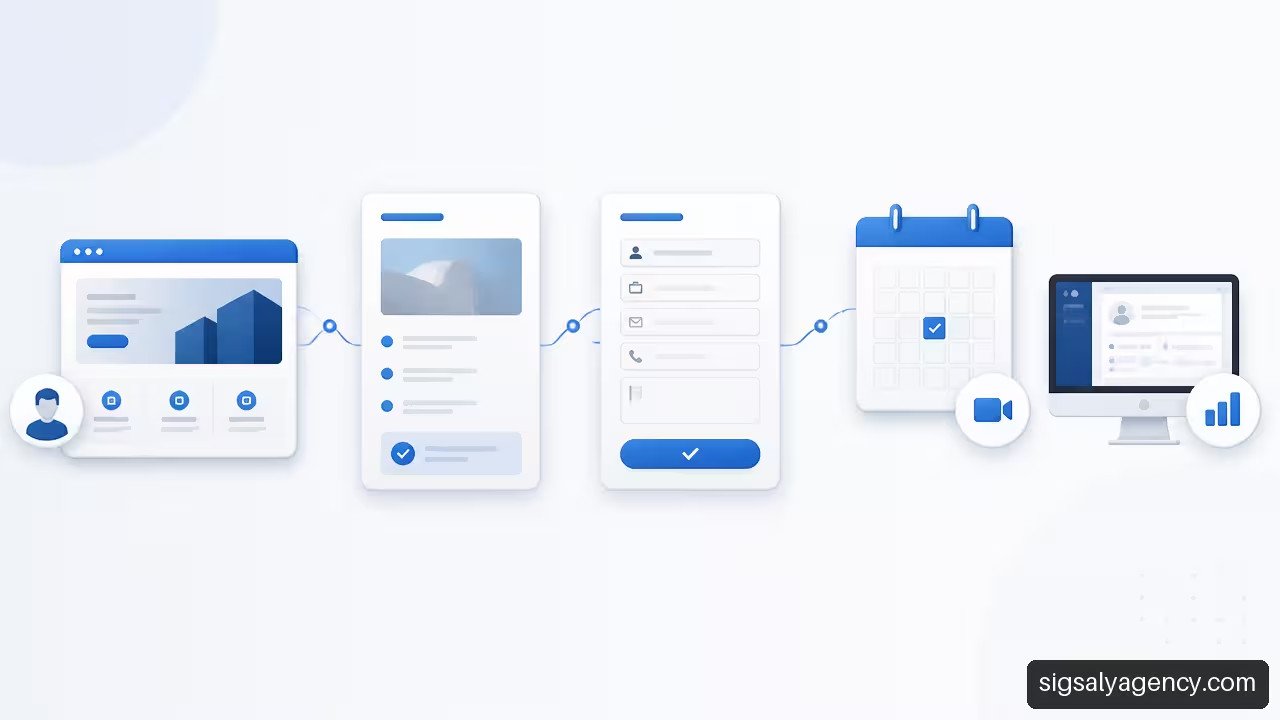
- The user submits a form or books an appointment.
- The information arrives in the assigned mailbox, CRM, or management system.
- A person receives a notification and responds according to the type of request.
- The contact is classified as an opportunity, an unsuitable inquiry, or a follow-up.
- The company reviews which pages and campaigns generate qualified leads.
The event map helps measure this process. It can record phone clicks, form submissions, bookings, downloads, and other relevant steps in the customer journey. Simply counting visits isn't enough; it's important to understand which actions lead visitors to engage in meaningful sales conversations.
Choosing Technology, SEO, and Maintenance
The technology must meet the needs of the business and the team that will manage the website. There is no single ideal platform for every situation, but there are clear criteria to guide the decision.
Template, Custom Development or Landing Page
The choice depends on the level of differentiation, complexity, and autonomy required. The following comparison serves as a guide, not a fixed rule.
| Option | Suitable When | It May Not Fit When |
|---|---|---|
| Template-based website | The offer is simple, the budget is limited, and it needs to be published quickly. | The company needs complex flows, a highly differentiated identity, or specific integrations. |
| Custom website | There are several services, defined business processes, or unique functional requirements | The business still lacks clear messages, content, and objectives. |
| Landing page | A very specific service, event, or campaign is being promoted. | The visitor needs to research a company with several specialties |
WordPress can be a suitable alternative when a company needs to edit content, publish resources, add forms, or extend functionality. Its suitability depends not on its popularity, but on whether the project has a secure configuration, an update system, and an easy-to-manage structure. This guide on web development and design with WordPress Explain the technical criteria that should be considered.
Understanding What Initial SEO Includes
Technical SEO helps search engines crawl, interpret, and index a website. It can include heading structure, titles, meta descriptions, necessary redirects, link architecture, performance, mobile responsiveness, and basic indexing settings.
That's necessary, but it doesn't guarantee top rankings or sustained traffic. Organic ranking also depends on competition, content quality and usefulness, actual search demand, domain authority, and website evolution.
For example, a new page about “financial consulting for SMEs” might be properly optimized from day one and still need additional time and content to compete with established firms. It's wise to be wary of any automatic promises about SEO results.
When the strategy combines organic presence and paid campaigns, it can be helpful to analyze the professional web design with SEO and Google Ads depending on the sector and search intent.
Prepare for Maintenance from the Start
A professional website needs maintenance because CMS versions, plugins, browsers, security requirements, and the company's own content all change. Putting it off can turn a routine task into an urgent intervention.
A reasonable plan should include:
• Controlled updates of the CMS, theme, and extensions.
• Verifiable backups.
• Monitoring of availability and critical errors.
• Review of forms, integrations, and email notifications.
• Content and conversion improvements based on data.
• Review of privacy, consent and applicable legal texts.
Speed should also be carefully considered. Optimizing images, limiting unnecessary resources, and choosing a suitable infrastructure can improve loading times, but it's not advisable to sacrifice clarity or accessibility in pursuit of a single score.
Key Takeaways
Prioritize Commercial Clarity
A service website should quickly explain what problem it solves, who it works for, and what the visitor should do next. The homepage starts the conversation; the service pages develop it.
Design Each Service As Its Own Journey
Not all services have the same urgency, complexity, or buying cycle. A specific conversion path allows you to offer the right CTA, content, and form for each need.
Measure Opportunities, Not Just Visits
Define relevant events, connect forms to the tracking system, and review the valid contact rate. The goal isn't to fill an inbox, but to create actionable opportunities.
Treat SEO and Maintenance as Processes
Initial SEO lays a technical foundation. Ongoing ranking requires content, review, and strategy. Similarly, publishing doesn't end the project: it opens a phase of maintenance and improvement.
Frequently Asked Questions
What Should a Website for a Professional Services Company Include?
It should include a clear value proposition, service pages, information about the work process, signals of trust, contact methods, and a measurement system. If the purchase decision is complex, it's also advisable to include case studies, resources, and frequently asked questions.
How Many Pages Does a Consulting Firm or Office Need?
It depends on the range of services and target audiences. A company with a very specific offering can start with just a few well-designed pages. If each service has different problems, processes, and clients, it's better to create a dedicated page for each one.
Is a Landing Page Better than a Full Corporate Website?
A landing page works well for a specific campaign or offer. A corporate website is more suitable when the visitor needs to learn about various specialties, compare services, or verify the company's credibility before making contact.
What Should a Complex Service Page Have?
You should explain the problem you are addressing, the client profile, the scope, the deliverables, the process, the limitations, and the next step. If there are any relevant exclusions, it is best to state them clearly to avoid misdirected requests.
What questions should the contact form include?
Only ask for the information necessary to answer and classify the inquiry: contact details, company, service of interest, need, and deadline. Add budget, location, or company size only if they directly affect the service's feasibility.
Is WordPress suitable for a service company?
It can be if configured with a reliable theme, necessary extensions, security, backups, and maintenance. It's especially useful when the team needs to publish content or update pages without relying on code changes for every adjustment.
What SEO Should a Web Project Include?
At a minimum, a foundation in technical and on-page SEO is essential: page structure, titles, meta descriptions, heading hierarchy, reasonable performance, mobile responsiveness, and indexing settings. Content creation and competitive ranking typically require ongoing work.
When is it advisable to redesign a website that continues to receive visits?
It's worth evaluating a website when it receives traffic but generates few leads, has services that are difficult to understand, doesn't work well on mobile, doesn't allow you to measure actions, or is difficult to update. It doesn't always require a complete overhaul: sometimes improvements to the architecture, content, and conversion rate are enough.