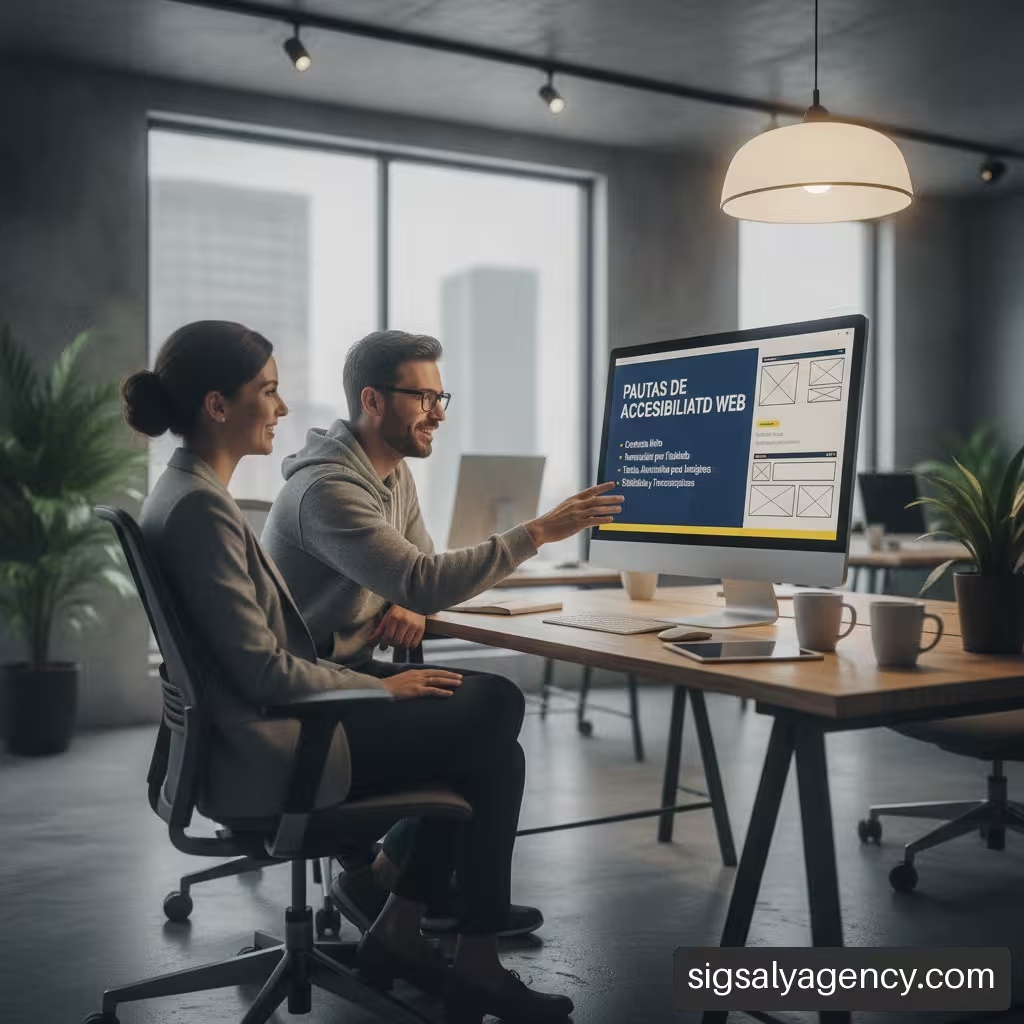
Understanding how to make a small business website accessible is a determining step to ensure that anyone, regardless of their physical, sensory or cognitive abilities, can interact with an online business. In today's digital environment, having an inclusive website not only improves overall usability and search engine positioning, but also expands commercial reach and removes barriers that prevent potential customer conversion.
Table of Contents
• Key Points
• Fundamental Principles and Initial Diagnosis in SMEs
• Technical and Structural Correction Plan Step by Step
• Content Management and Editorial Protocols for the Team
• Integration of Third-Party Services and Long-Term Maintenance
• Frequently Asked Questions About Web Accessibility in Small Businesses
• Sources and References
Key Points
• Progressive approach: Small businesses do not need to redesign their entire platform all at once; they can prioritise the most important business flows (contact, purchase, booking).
• Mixed audit: Automatic scanners detect only a percentage of issues; manual review using keyboard and screen readers is essential.
• Shared responsibility: Accessibility problems should be categorised between design/code errors, base template, content publications and third-party components.
• Reference standard: Applying the AA level of the Web Content Accessibility Guidelines (WCAG) ensures balanced and accessible usability.
• Continuous maintenance: Accessibility is not a one-off project, but an active process that requires publishing protocols and periodic reviews.
Fundamental Principles and Initial Diagnosis in SMEs
Addressing accessibility in a small business requires understanding that the main goal is to eliminate interaction barriers. Many organisations assume that making a website accessible involves recoding from scratch with high budgets. However, a structured analysis allows identifying immediate improvements that radically transform the user experience without compromising financial viability.
The WCAG Framework And Level AA Compliance
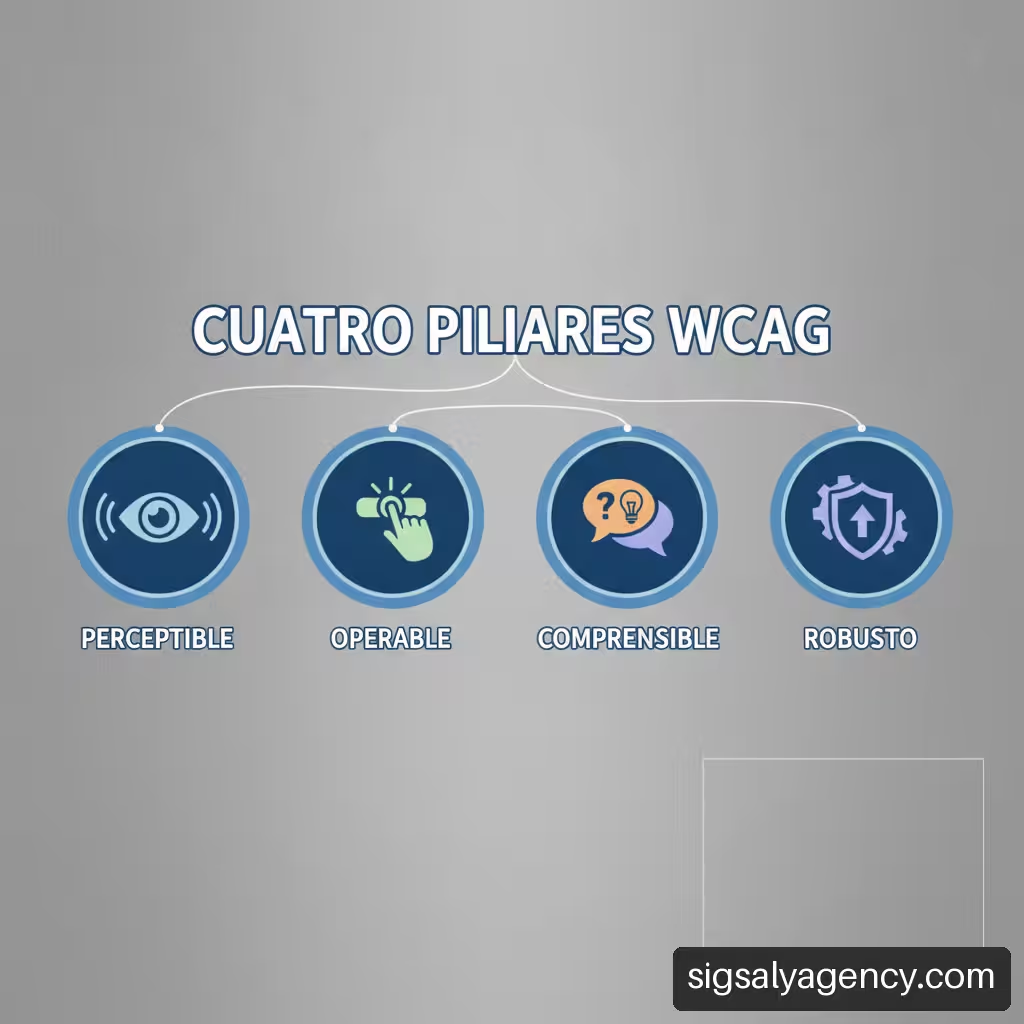
The development of accessible sites is based on the Web Content Accessibility Guidelines (WCAG) of the W3C. These guidelines are organised into four essential principles, known by the acronym POUR:
- Perceivable: Information and interface components must be presented in a way that users can perceive them through their available senses.
- Operable: Navigation and interface components must be able to be handled with various input devices, such as keyboards or switches.
- Understandable: Information and the operation of the user interface must be intuitive and legible.
- Robust: Content must be sufficiently compatible with current and future assistive technologies.
For the business environment, the AA level represents the ideal conformity standard, as it guarantees a balance between effective inclusion and technical complexity. Applying these criteria also benefits the overall architecture of the site, an aspect we explore in depth in our strategic guide on accessibility and web performance.
Limits Of Automatic Scanners And Manual Testing
Automatic evaluation tools such as Lighthouse, AXE or WAVE are valuable for performing an initial code inspection, identifying graphic contrast deficiencies or omitted HTML labels. However, relying exclusively on these applications generates a false sense of security.
| Evaluation Type | Estimated Coverage | Strengths | Main Limitations |
|---|---|---|---|
| Automatic Tools | 30% – 40% of issues | Quick detection of missing alt attributes, duplicate IDs and colour contrast. | They do not evaluate the context of alternative text, the logical navigation order or the usability of modal menus. |
| Manual Keyboard Testing | 70% – 80% of usability | Verifies visual focus order, keyboard traps and button operability. | Requires manual verification time in each critical section. |
| Screen Readers and Users | 100% of the experience | Reveals real problems in the interaction with assistive technology. | Requires basic training or the support of specialised evaluators. |
Second evaluation required: according to the Accessibility Guide for Microenterprises of the Royal Board on Disability, a microenterprise can begin with a self-evaluation and maintain specific checklists. This approach allows critical failures to be diagnosed before undertaking more advanced audits.
Error Classification: Template, Code, Content and Third Parties
To prioritise work without overloading business resources, we recommend classifying the deficiencies identified into four well-differentiated categories:
• Template Errors (Base Theme): They affect the overall design, such as lack of contrast in the footer, inaccessible dropdown menus or focus styles overridden in CSS.
• Custom Code Errors: Related to bespoke components, such as JavaScripts that open modals without returning focus when closed.
• Editorial Content Errors: Direct responsibility of whoever manages the website when publishing images without descriptive text or skipping heading levels.
• External Service Errors: Produced by imported widgets such as booking systems, chatbots, maps or cookie consent banners.
Technical and Structural Correction Plan Step by Step
Once the preliminary diagnosis has been completed, it is time to execute engineering and design corrections on the SME's website. Implementation should focus on semantics and interface responsiveness to different input devices.
Semantic Structure, Headings and Keyboard
Correct structuring of HTML code allows assistive technologies to interpret the hierarchy of information. According to the W3C Accessibility Principles, headings, forms, lists and tables must maintain a structure that is understandable for assistive technologies.
To validate keyboard navigation on your site, you must perform the following direct tests:
- Press the Tab key to move forward between links, buttons and form fields.
- Press Shift + Tab to go back in the navigation sequence.
- Ensure that the visual focus indicator (outline) is clearly visible on each selected element.
- Use the Enter or Spacebar key to activate buttons and expand menus.
- Check that there are no «keyboard traps», where the user becomes trapped inside a pop-up window or video frame with no way to exit using the Escape.
Forms, Visible Labels and Error Messages
Contact forms, budget request forms or purchase processes represent the key conversion points in any business. An inaccessible form directly interrupts revenue generation.
• Explicit linking: Each text field must have a element associated via the forattribute, matching the unique identifier id of the corresponding field.
• Clear instructions: If a field is required, do not simply mark it with a coloured asterisk; include the word «required» in the label text or via ARIA attributes such as aria-required="true".
• Error management: When a user makes a mistake while filling out a form, the website must indicate to them exactly which field has the problem and how to fix it, using understandable text instead of opaque codes.
html
Email address (required): Example: contact@company.com
Visual Contrast, Zoom and Mobile Adaptability
Text readability not only benefits people with low vision or colour blindness, but also users browsing from mobile screens in environments with direct sunlight. For this reason, having a web design adapted to mobile devices is essential to maintain inclusive consistency.
• Text contrast ratio: For normal text (less than 18pt), WCAG 2.1 AA guidelines require a minimum contrast ratio of 4.5:1 against the background. For large text (18pt or more, or 14pt in bold), the minimum ratio is 3:1.
• Interface elements: Buttons, input fields and informational icons must maintain a contrast of at least 3:1 against their adjacent colours.
• Resizing: The layout must allow the browser zoom to be enlarged to 200% without text overlapping, being cut off or causing horizontal overflow on the screen.
Content Management and Editorial Protocols for the Team
Even the most technically refined website will lose its level of accessibility if the company template publishes new content without following basic guidelines. Integrating accessibility into the SME's operational culture ensures the sustainability of changes over time.
According to the Introduction to Web Accessibility from W3C, accessibility must be evaluated from the beginning and during changes, not just at the end. This applies directly to each blog post, product in catalogue or catalogue update in PDF.
Criteria For Alternative Text In Images
The attribute alt has the function of conveying the intention and message of an image to people who use screen readers or when the image fails to load correctly.
┌─────────────────────────────────────────────────────────┐
│ HOW TO WRITE ALTERNATIVE TEXT? │
└─────────────────────────────────────────────────────────┘
│
Does the image provide information?
│
┌──────────────┴──────────────┐
▼ ▼
[ YES ] [ NO ]
│ │
Describe the function or Alt attribute
the content of the image empty: alt=""
in its real context. (Decorative image)
- Informative Images: If an image displays data or instructions, the alternative text must describe the precise content. Example:
alt="Photograph of the technical team conducting an electrical panel review". - Functional Images: If the image acts as a link or button, the
altmust express the action. Example:alt="Download service catalogue in PDF". - Decorative Images: If the image is purely aesthetic and does not provide contextual information, it must include an empty attribute (
alt="") so that screen readers ignore it without announcing a confusing filename.
Transcriptions and Subtitles in Multimedia Content
Promotional or demonstration audiovisual material published on the web must be adapted for people with hearing or visual impairment:
• Synchronised subtitles: All videos with audio track must include synchronised subtitles, whether embedded or via VTT format subtitle files.
• Text transcriptions: Providing a complete transcription in plain text format below the player facilitates reading for deafblind people and significantly improves SEO indexing of the content.
• Audio descriptions: When the image in a video conveys critical information that is not mentioned in the voiceover, it is essential to add a descriptive audio track or an enriched transcript.
Link Writing And Continuous Editorial Policy
A common mistake in web writing is the use of generic link text such as 'click here', 'read more' or 'more information'. For a user navigating by extracting the list of hyperlinks with a screen reader, this text is incomprehensible as it lacks context.
• Descriptive text of the destination: Write the link clearly indicating where it leads. Instead of 'To view our rates click here', use 'Check our web design rates'.
• Download or opening notice: If the link opens an executable file, PDF or a new browser tab, state it explicitly: 'Download accessibility guide (PDF, 2 MB)'.
• Internal manual: Draft a short one-page document for any team member who uploads blog posts or products to the shop, reminding them of the rules on headings, alternative text and links.
Integration of Third-Party Services and Long-Term Maintenance
Small business websites often depend on external scripts and services to resolve complex functions quickly. However, an inaccessible external module compromises the overall compliance of the site.
Cookie Banners, Chats And Payment Gateways
Overlay elements that load via external JavaScript libraries represent one of the biggest accessibility blockage points:
• Cookie consent banners: They must allow acceptance, rejection or configuration using only the keyboard, keeping focus within the module until the user makes a decision.
• Live chat widgets: They often present floating buttons without accessible name (aria-label) or open windows whose new messages are not announced by screen readers.
• External payment gateways: It is vital to check that the fields embedded in iFrames for entering the credit card have appropriate labels and allow sequential navigation with tab.
Acceptance Tests In Critical Commercial Flows
Instead of trying to audit hundreds of pages simultaneously, the small business should focus its quality efforts on routes that generate income or key contacts:
- Contact Flow: Test from the homepage through to submitting the contact form and viewing the confirmation message.
- Purchase or Booking Flow: Test the selection of a product or service, the shopping cart, the entry of billing data and the final payment processing.
- Resource Download Flow: Validate that a customer can find, select and download an invoice, catalogue or template without interruptions.
Maintenance Routines And When To Seek Expert Help
To prevent the website from losing accessibility over time, it is advisable to set up a review routine that combines automation and human validation.
• Quarterly reviews: Run an automatic scanner over the most visited pages and correct any new code errors or images without alternative text.
• Testing on updates: Whenever the base template is changed, a new plugin is installed or a section is redesigned, a manual keyboard navigation check must be performed.
• Knowing when to escalate: If the site includes advanced custom features (customer portals, complex configurators, proprietary payment gateways) or if complaints are received from users with disabilities, it is time to hire a specialised technical audit or consult with digital accessibility consultants.
Frequently Asked Questions About Web Accessibility in Small Businesses
What exactly does it mean for my SME's website to be accessible?
It means that the platform is designed and programmed so that anyone, including people with visual, hearing, motor or cognitive disabilities, can navigate, understand its contents and use its forms or tools without encountering insurmountable barriers.
What level of WCAG conformance should a small business try to achieve?
The recommended target for the vast majority of small and medium-sized businesses is the level WCAG 2.1 AA. This level guarantees very high coverage of usability and inclusion needs without requiring extreme technical modifications such as those at AAA level.
Where should I start if my website is already published and has many errors?
Don't try to fix the entire site at once. Start by diagnosing and fixing failures in your most important business flows: the contact form, payment or booking process, and homepage. Prioritise correcting keyboard navigation and graphic contrasts.
Can an automated tool certify that my website is accessible?
No. Automated tools are very useful for detecting obvious code failures, but they only identify between 30% and 40% of actual issues. Aspects such as the logical meaning of alternative text or the correct flow of a pop-up window require human manual verification.
How can I test my company website using only the keyboard?
Navigate your site using only the Tab key to move forward, Shift + Tab to move back, and Enter either Space to activate links and buttons. If at any point you cannot clearly see which element is selected or you cannot exit a menu or pop-up window, you have found an accessibility barrier.
Do all images on my website need to have alternative text?
All informative or functional images (such as links and icons) must have descriptive alternative text. However, purely decorative images that do not provide information should carry the empty attribute (alt="") so that screen readers do not interrupt the user's reading.
What happens if an external plugin or chat that I use on my website is not accessible?
Third-party components are part of your user experience. If an external service doesn't allow keyboard navigation or blocks screen readers, you should contact the provider to request a fix or consider replacing it with a more accessible alternative.
Do I need to add subtitles to all the videos I publish on the company website?
Yes, any video containing spoken audio or relevant sound information should include synchronized subtitles and preferably a text transcript to ensure that people with hearing disabilities or those browsing without sound can access the message.
Sources and References
• Royal Board on Disability: Accessibility Guide. Guidelines for Microenterprises (PDF)
• Web Accessibility Initiative (W3C): Principles of accessibility
• Web Accessibility Initiative (W3C): Introduction to Web Accessibility